Using the Mixer
With the mixer, you can adjust the volume and other playback properties directly while a song is playing.
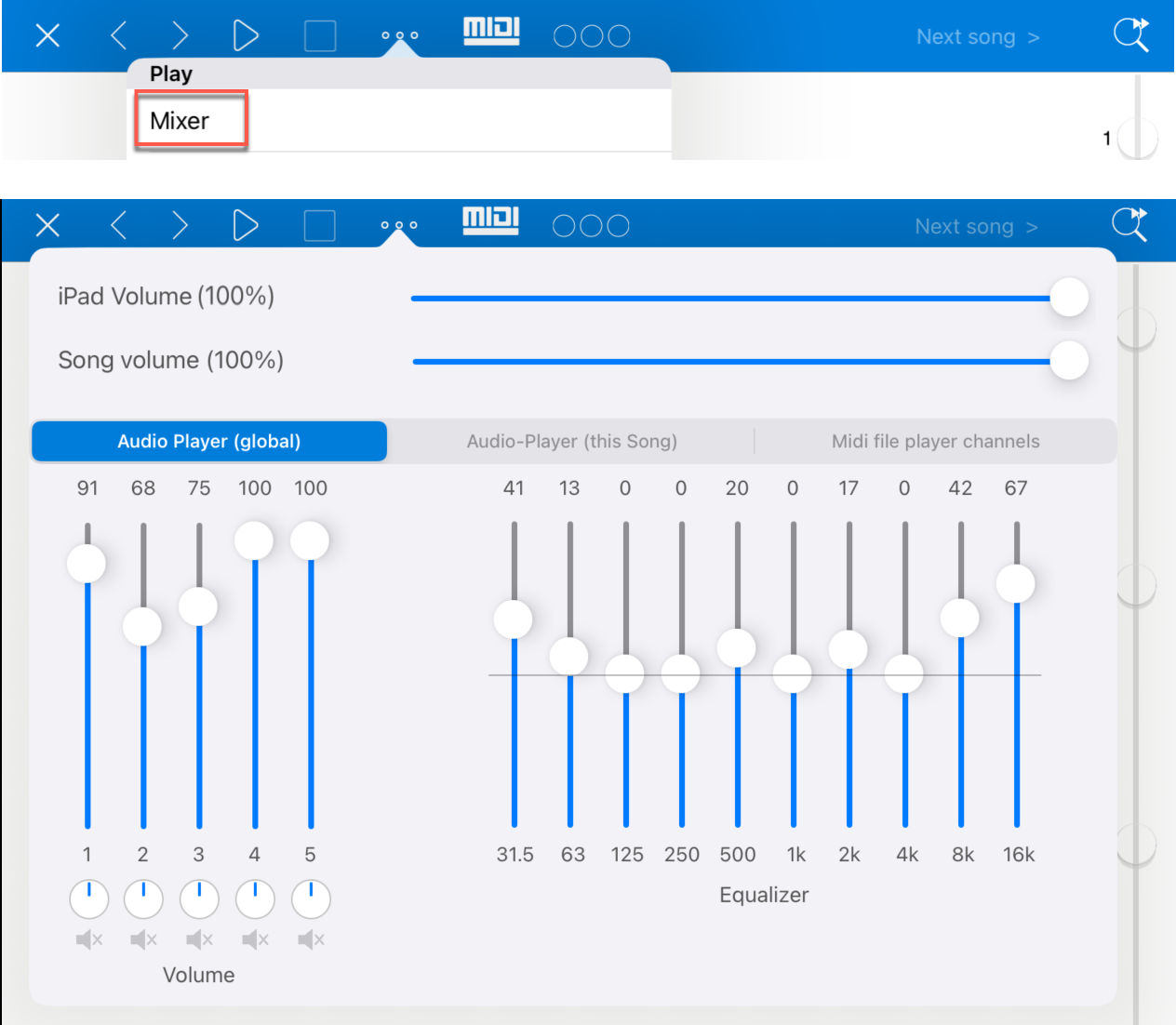
The mixer is opened with the mixer button in the toolbar. Different sections are available depending on the linked media.
Mixer for Audio Files
If a song uses audio files, you can set the volumes of up to five audio files in the mixer and adjust the sound with the equalizer.
These settings exist twice: globally for all songs and separately for the currently opened song. The audible result is a combination of both settings.
The global settings are primarily intended for live use. During a performance, you can use them to make individual tracks louder or quieter for all songs at the same time, turn them off completely, or use the equalizer to adapt the sound to the current stage.
The per-song settings are more intended for preparing and optimizing individual audio files so that they are played with the right volumes and equalizer values as soon as the song is opened.
Starting with version 6.6, the "Audio Player (global)" tab provides an additional balance control for each of the five audio files. This lets you define whether an audio file is played more on the left, on the right, or centered. These balance controls exist only globally, not per song.
This is especially useful when a stereo file actually contains two separate mono signals, for example one instrument on the left channel and another on the right channel. With the balance controls, you can distribute or mute such channels directly in SongBook+ without necessarily using separate audio outputs through external hardware.
Mixer for MIDI Files
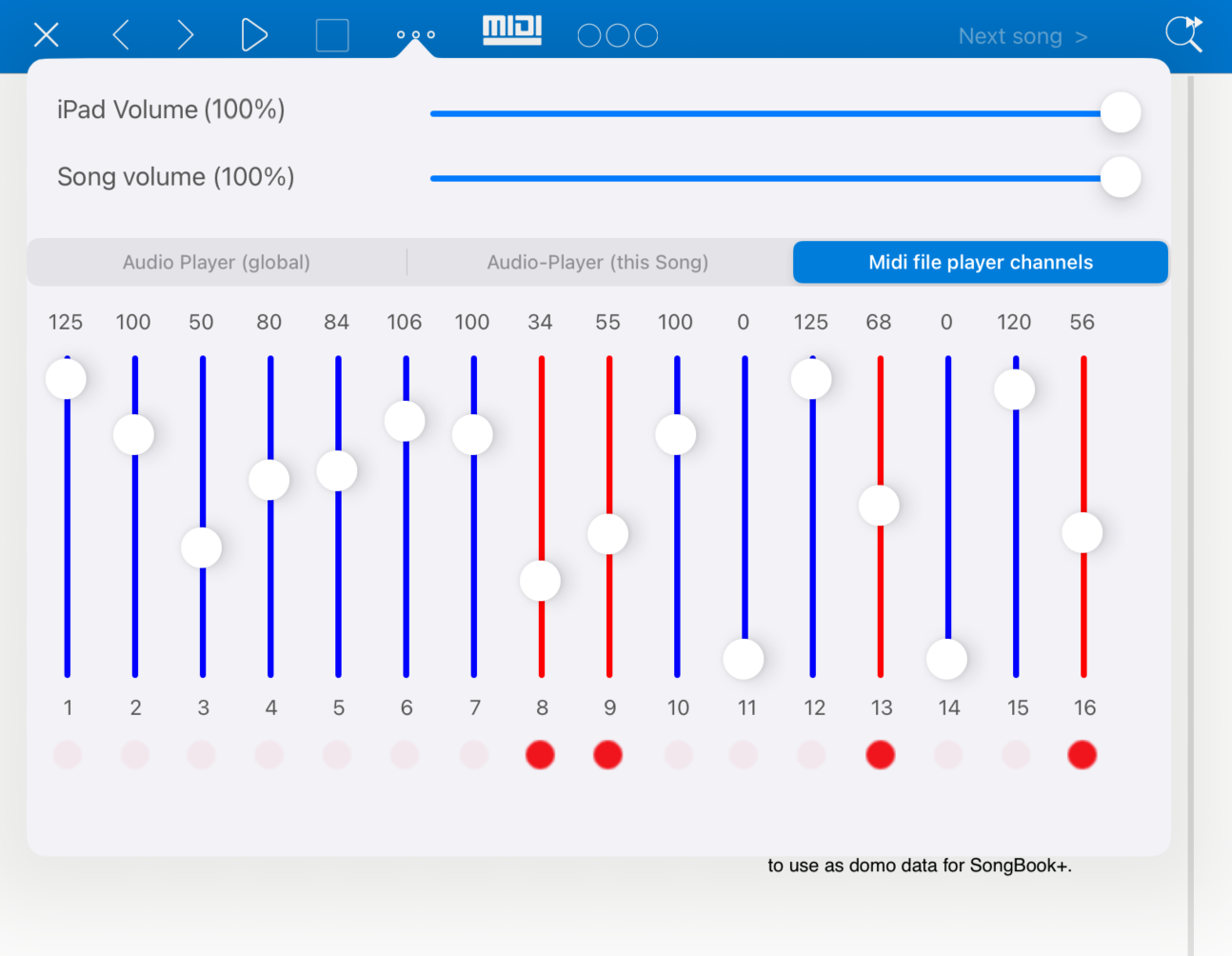
If a song uses a MIDI file, the mixer can also show the volumes of the MIDI channels.
In the "Midi file player channels" section, you can make individual MIDI channels louder or quieter. Channels whose volume differs from the original value in the MIDI file are shown in red.
A red dot appears below such changed channels. When you press this dot, the original volume of the channel from the MIDI file is restored. As soon as a channel is back at its original value, the slider is shown in blue again.
Difference from Separate Audio Outputs
The balance controls in the mixer change the distribution within the normal stereo signal.
If you want to route audio files to several real hardware outputs instead, use the settings under Audio Outputs.