Using Status LEDs
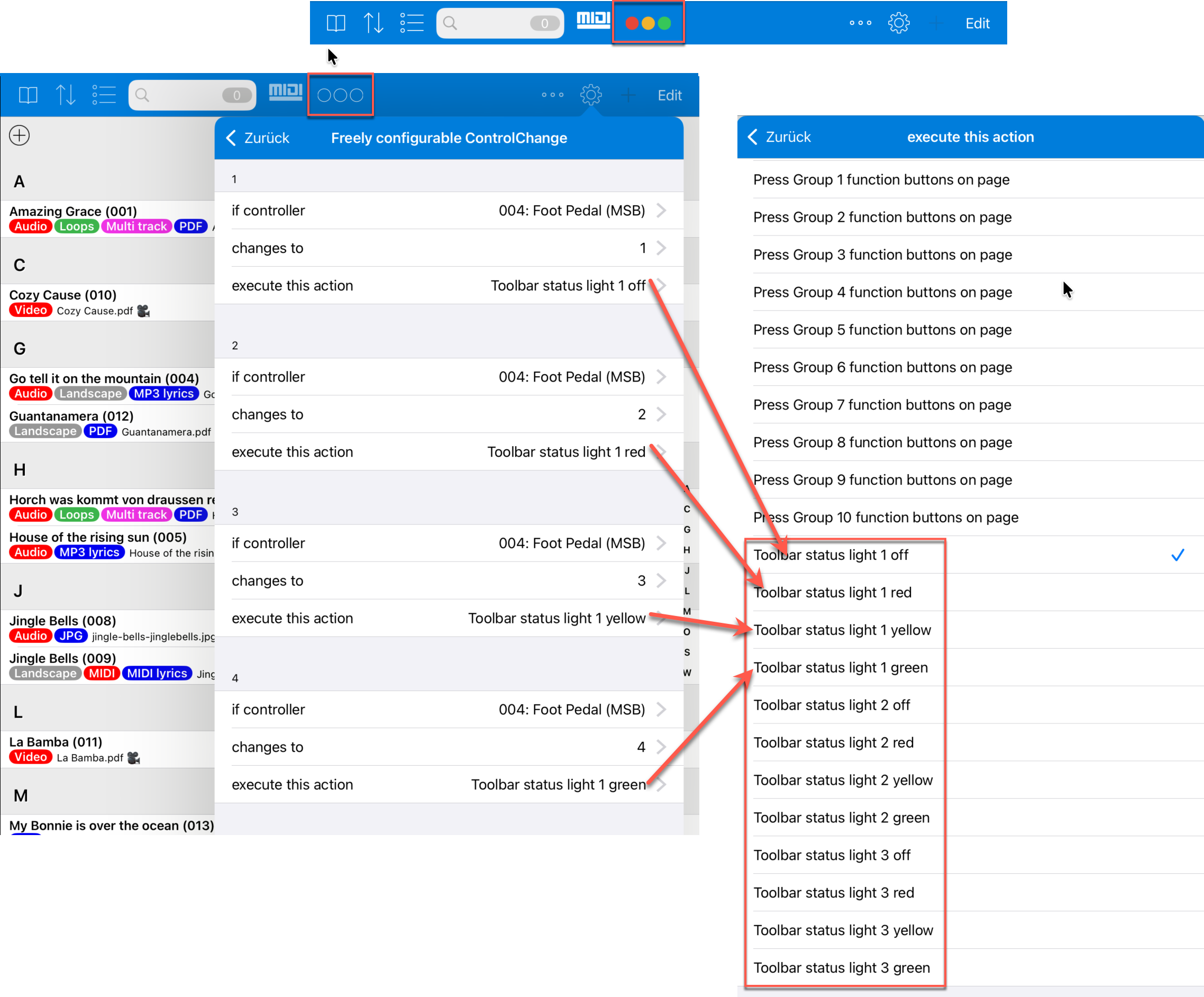
Up to three status LEDs can be shown in the toolbar. Each status LED can be off or light up in red, yellow, or green.
The status LEDs are freely usable visual indicators. You can use them, for example, to make states visible during a performance, signal sequences, or share information between several musicians.
Showing Status LEDs
You set whether and how many status LEDs are shown in the settings under "Toolbar" with the setting "Status lights (red/yellow/green/off)".
When status LEDs are enabled, they appear in the toolbar as small round indicators.
Controlling Status LEDs
The status LEDs do not change automatically. They are controlled by actions.
Such actions can be used, for example, in function buttons, MIDI foot pedal settings, or freely configurable MIDI actions. There are actions such as "Toolbar status light 1 red", "Toolbar status light 1 yellow", "Toolbar status light 1 green", or "Toolbar status light 1 off". Corresponding actions are also available for the second and third status LED.
This is especially useful with MIDI foot pedals or other MIDI controllers. A pedal or an incoming MIDI command can not only trigger an action, but also make the status visible in the toolbar at the same time.
Synchronizing Status LEDs Between Devices
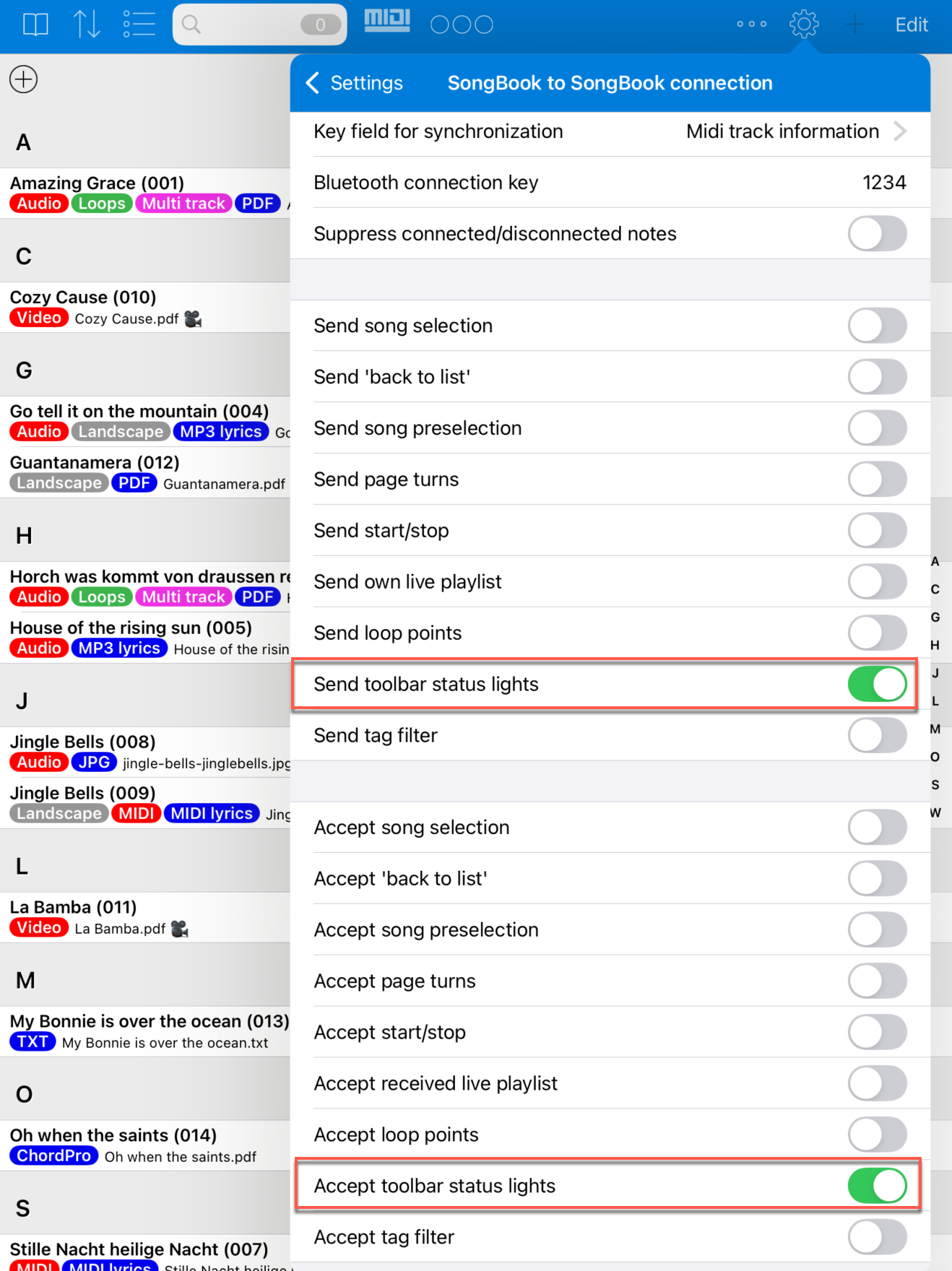
Via the "SongBook to SongBook connection", status LEDs can also be sent to other connected devices or received from other devices.
This lets several iPads show the same status. This is useful, for example, when one person controls the flow and other musicians should see the same visual feedback on their devices.
Synchronization is enabled in the settings under "SongBook to SongBook connection" with "Send toolbar status lights" and "Accept toolbar status lights".