Version 6.3
Changes in Version 6.3
The newsletter for Version 6.3 was originally published as a preview at the start of beta testing. Version 6.3 included, among other things, the following new features:
- Highlighting the search text in entries of the list view
- Colored tags for songs
- Exporting and importing playlists
- More options when importing songs from
.sbkfiles - Mode "All books"
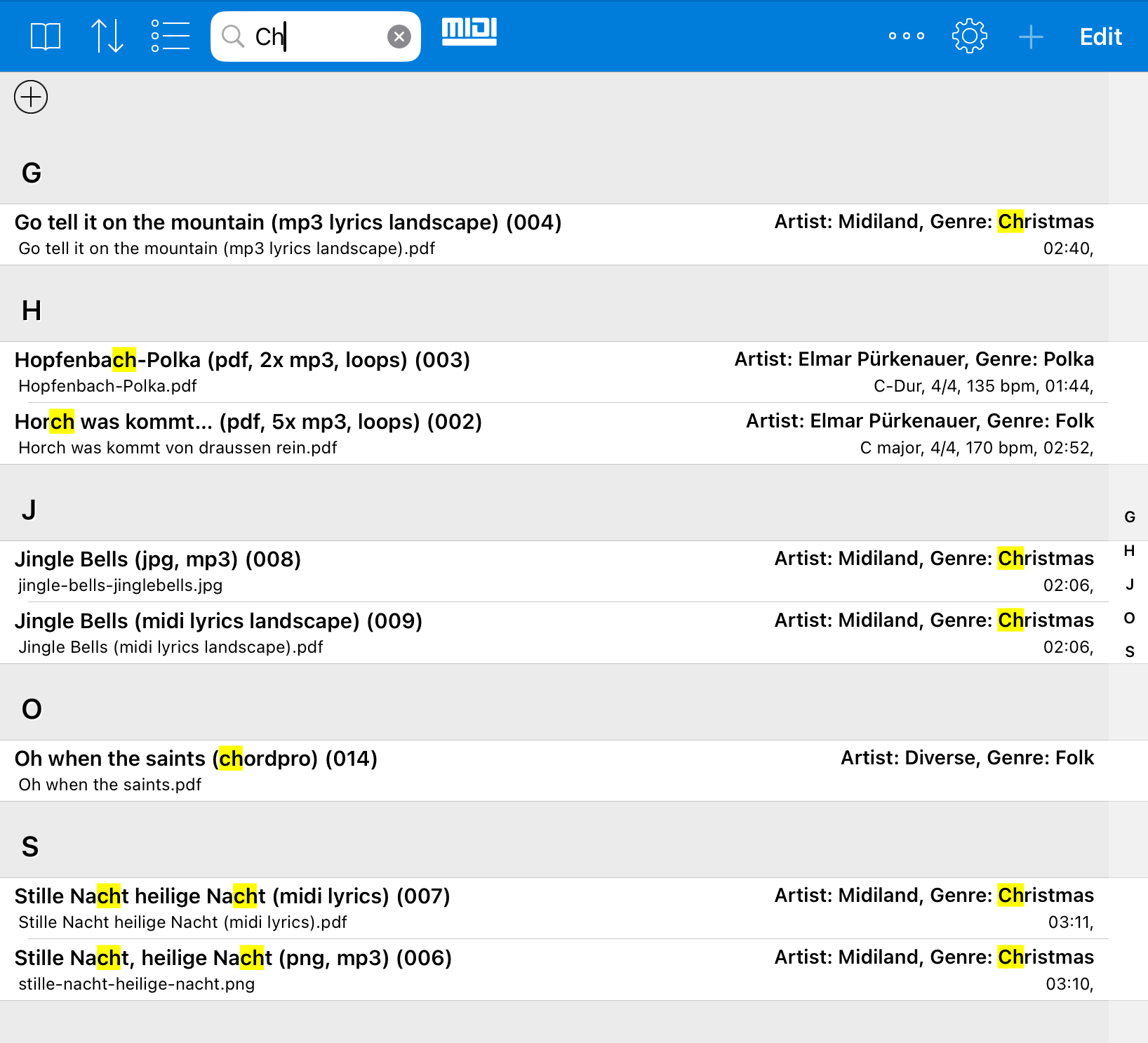
Highlighting Search Text in Entries of the List View
When you enter something in the search field, the search results now show directly where the search text was found.
This is especially helpful when the list contains many similar entries or when the match was found not in the title but in another visible field.
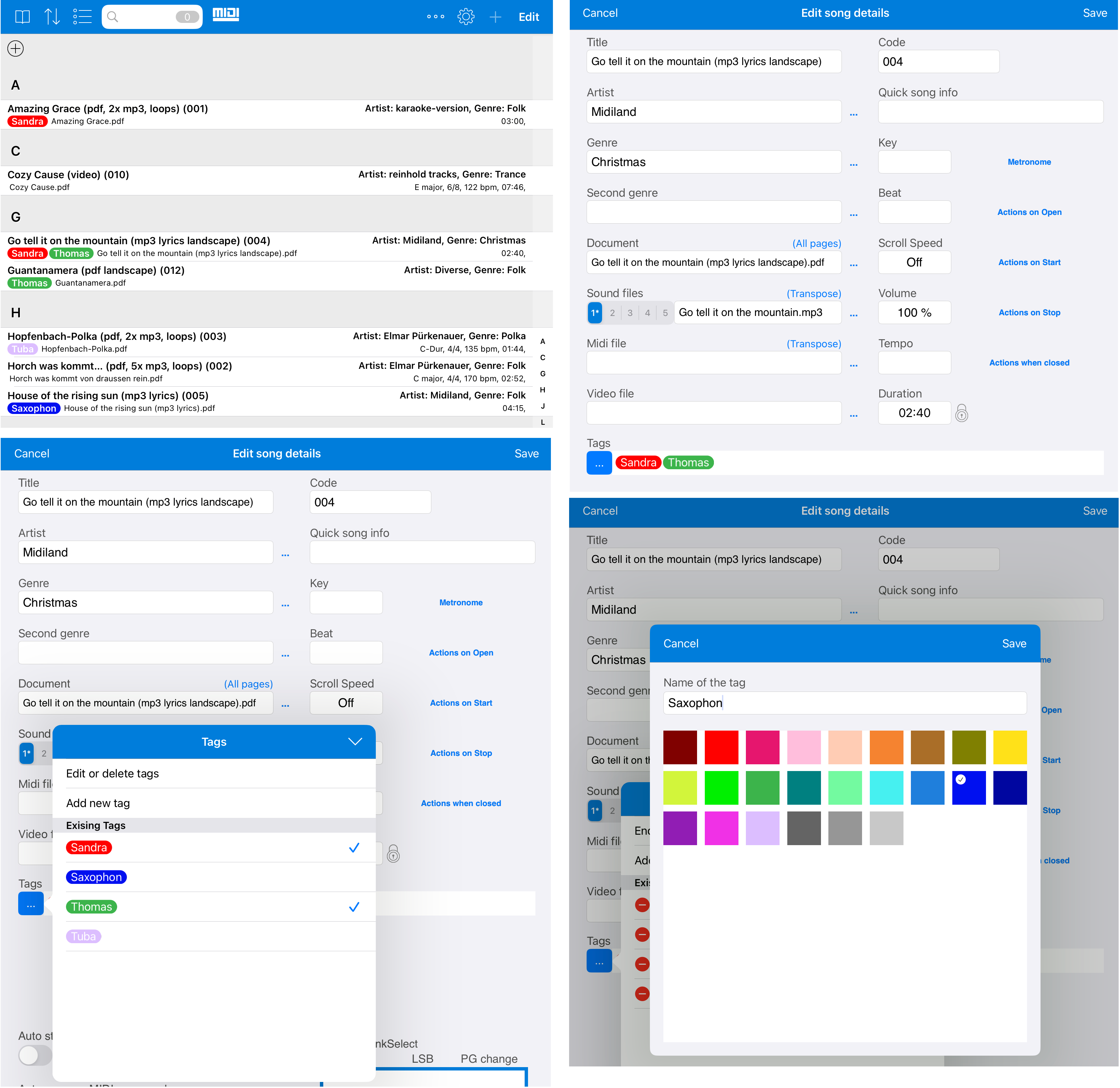
Assigning Colored Tags to Songs
Colored tags can now be created and assigned to songs.
This allows songs to be categorized by any criteria. The categories are visible directly in the list and can be recognized at a glance.
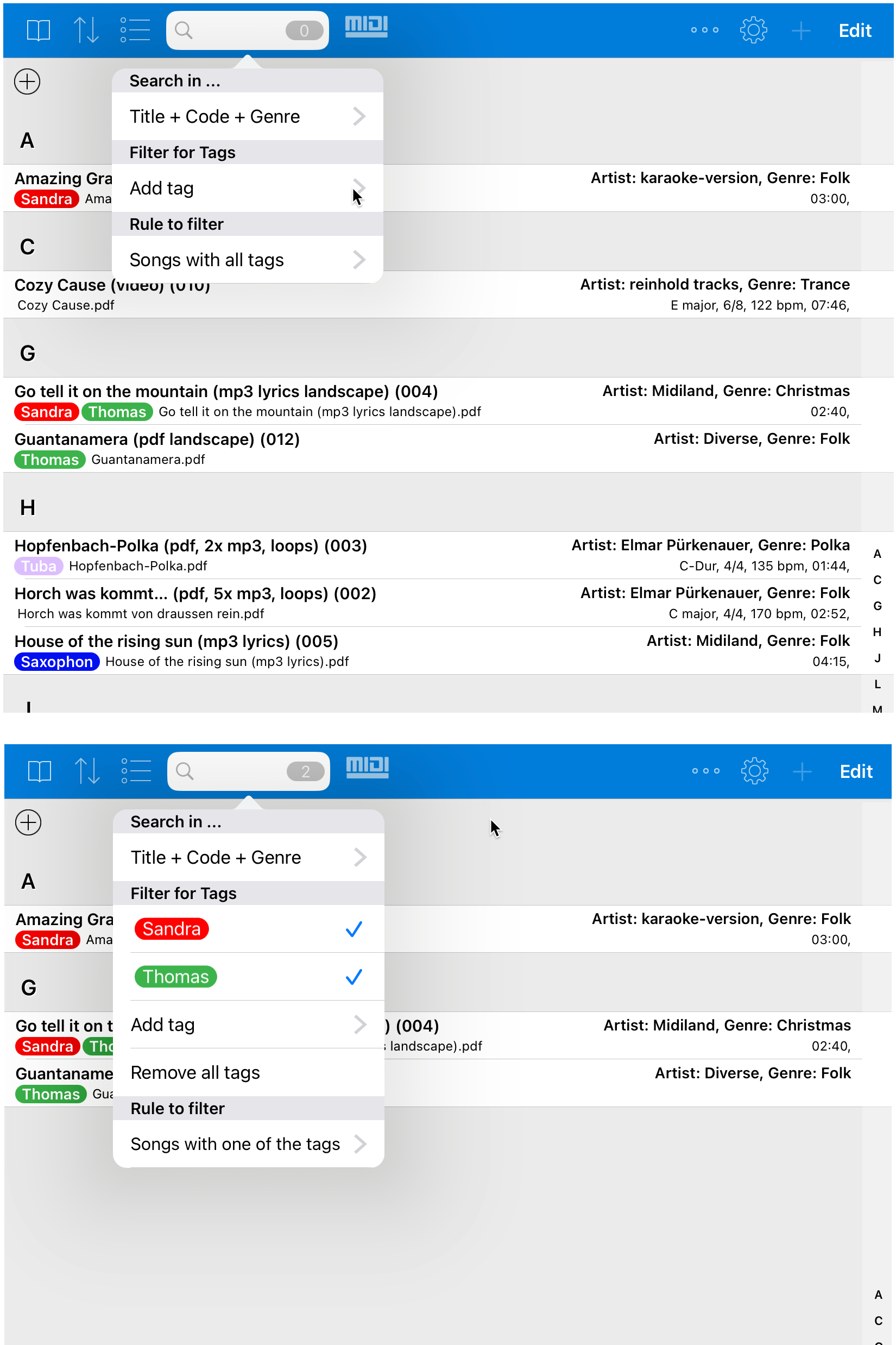
In addition, the song list can be filtered by tags. This makes it easy to quickly find all songs that belong to a certain category.
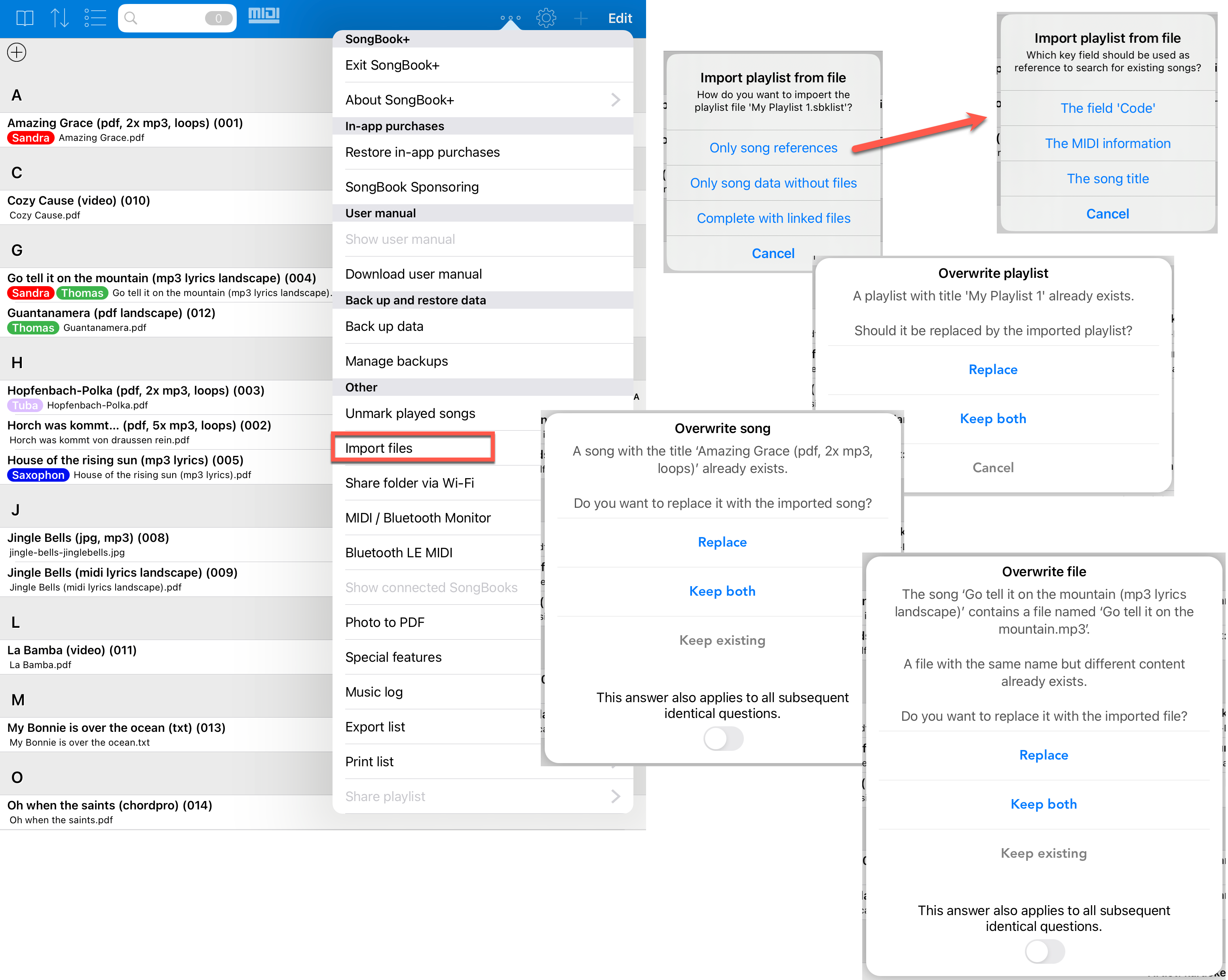
Exporting and Importing Playlists
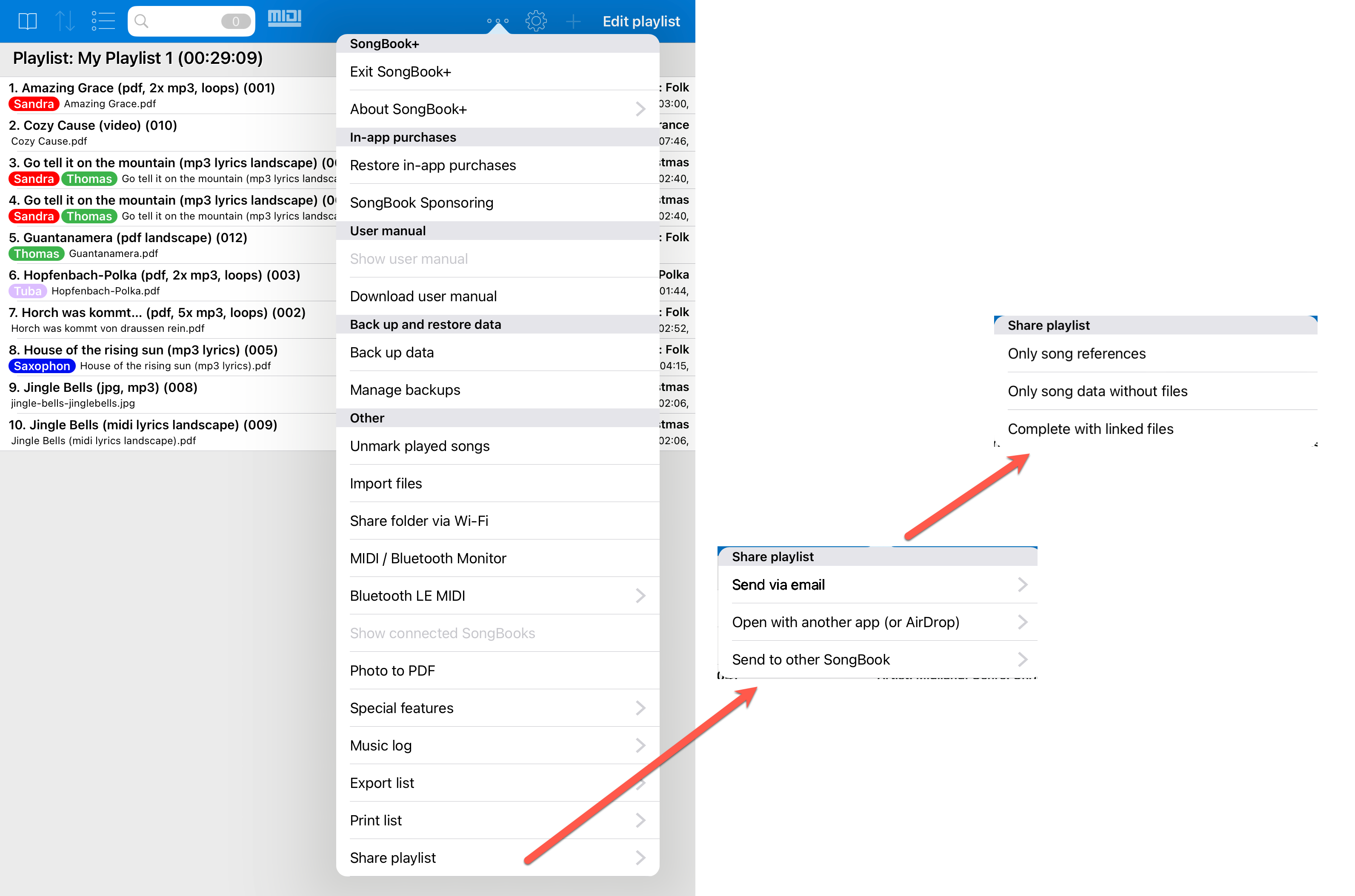
Playlists can now be exported to an .sbklist file.
When exporting, you can choose whether the playlist should contain only song references, whether complete song data should be included, or whether the linked files should also be included.
This file can then be imported again in another SongBook+.
More Options When Importing Songs from .sbk Files
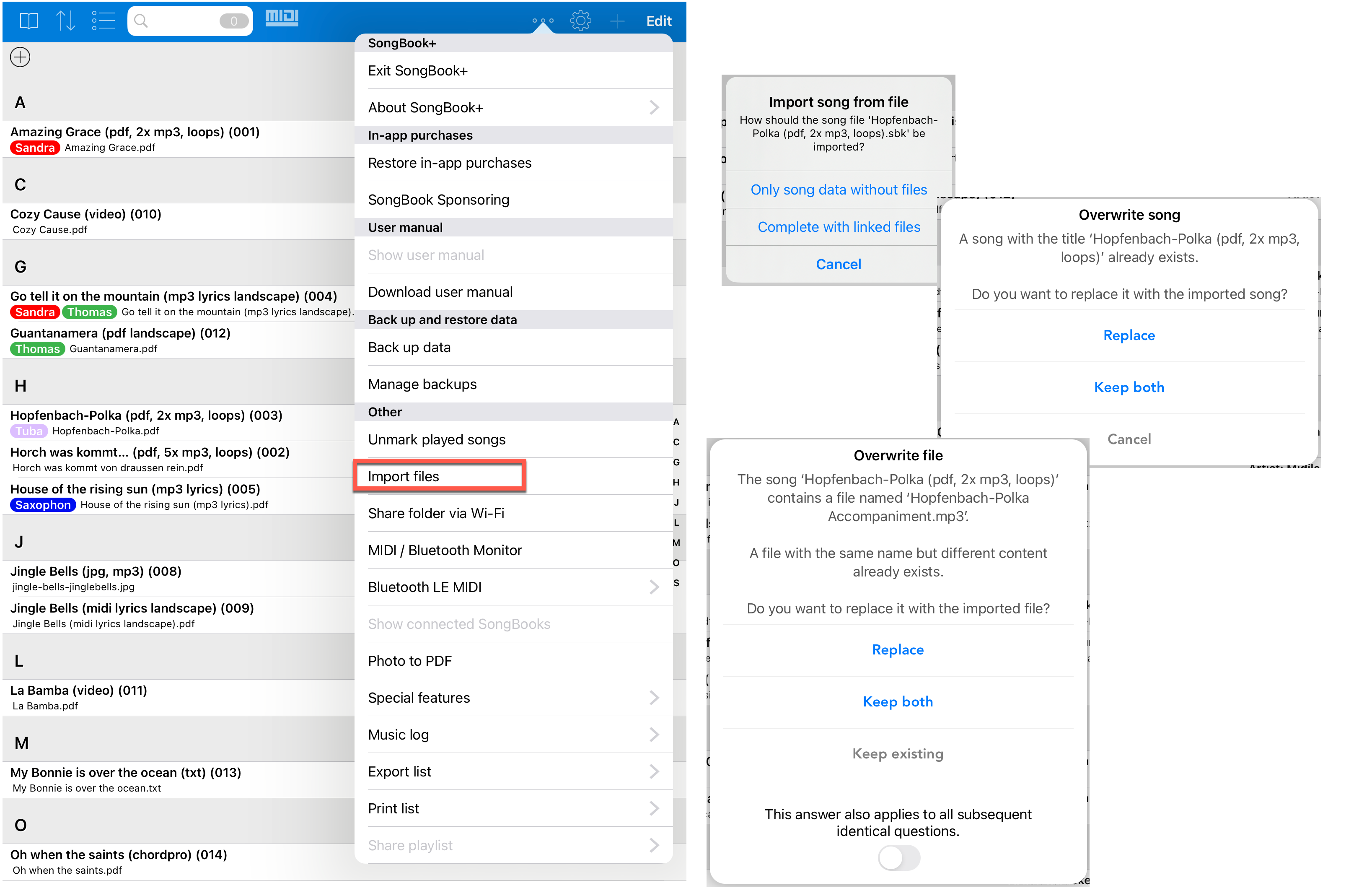
As with importing playlists, when importing songs from .sbk files you can now specify more precisely what may be overwritten and what may not.
This makes it easier to control an import when songs or files already exist in the target SongBook+.
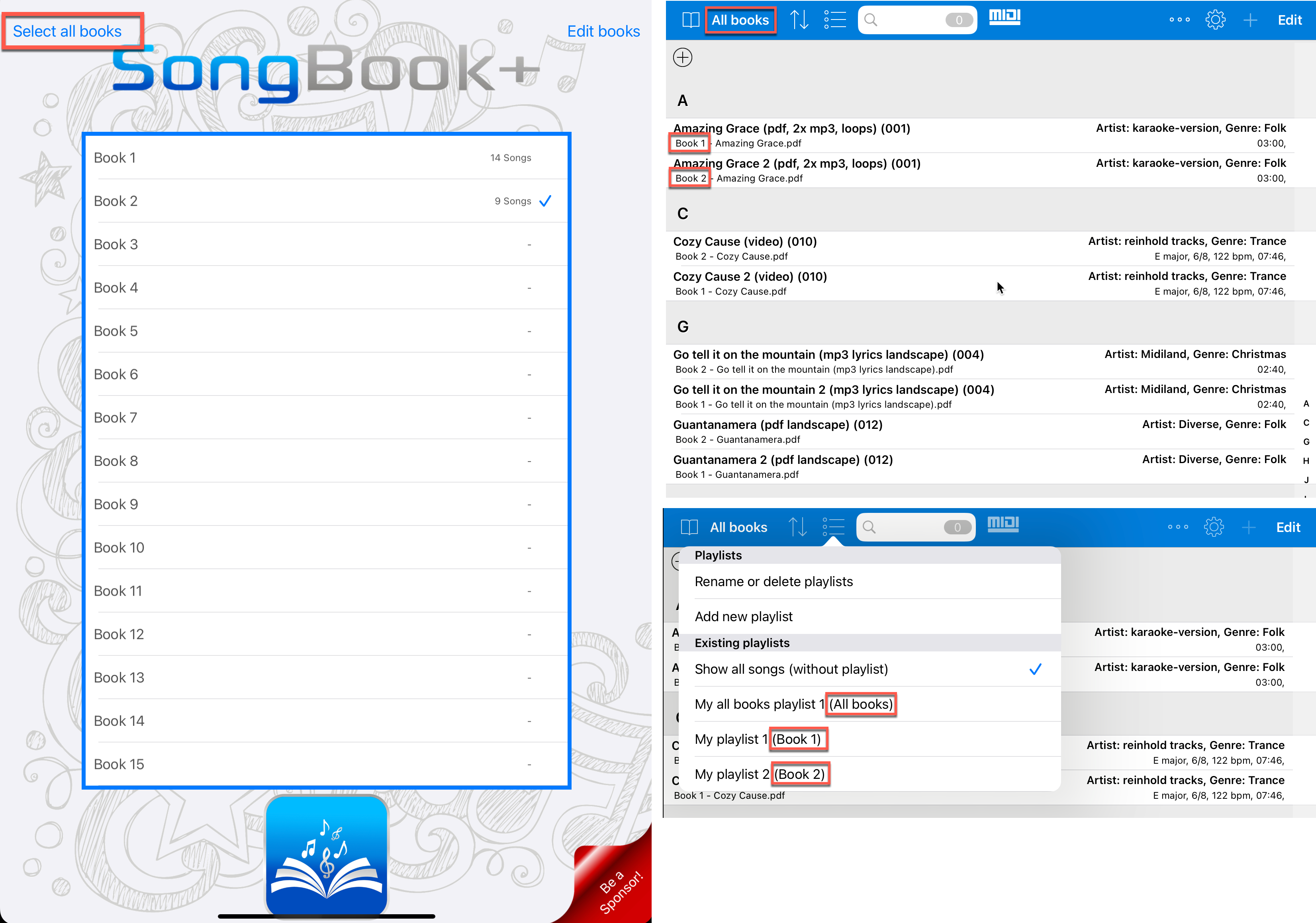
Mode "All Books"
With the new mode "All books", songs from all books can be displayed at the same time.
Search can also be used across all books in this mode. This is useful if you are not sure which book contains a certain song.