Version 6.6
Changes in Version 6.6
Version 6.6 included, among other things, the following new features:
- Lyrics import with chords and syllable positions now also with proportional font
- Mixer with balance controls for audio files
- Mixer can restore original volumes of MIDI channels
- Extended function button actions for keyboard control, MIDI Bank Select/Program Change, MIDI NRPN and links
- MIDI Program Change values can be displayed as either 0-127 or 1-128
- Status LEDs in the toolbar, controllable via MIDI or foot pedal
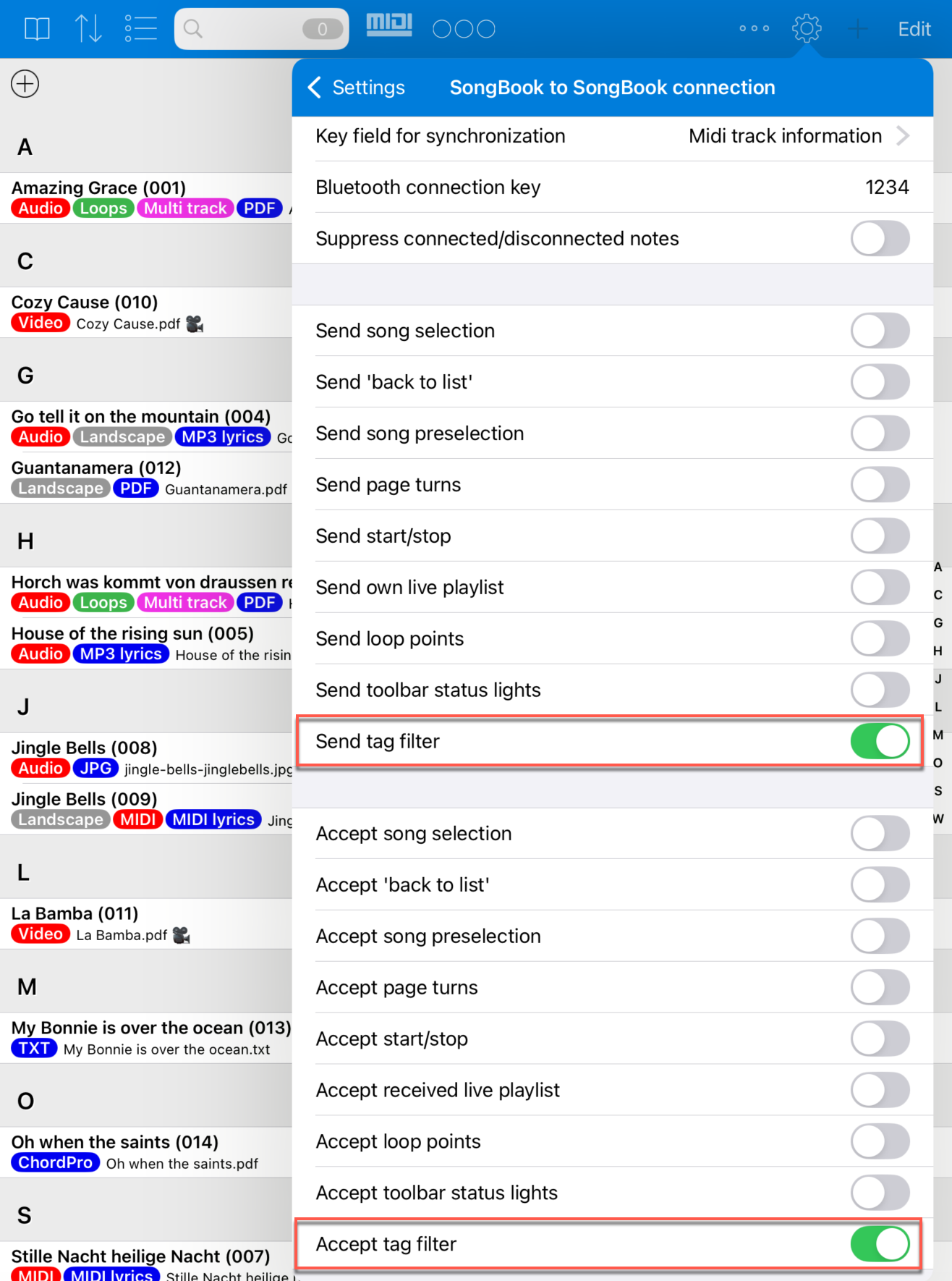
- SongBook to SongBook connection now also synchronizes tag filters and status LEDs
- Tags with special functions for full-screen video and exceptions from numbering in playlists
- Easier insertion of MIDI macros when recording actions during playback
- External monitor display with adjustable quality and refresh rate
- In scroll mode, the spacing between pages can be disabled
- List view with icons for linked audio, MIDI and video files
- New list view variants with large title, optionally with tempo or book
- Song tempo and metronome tempo are shown together
- Page turns optionally work even when the song preselection list is open
- Actions in MIDI macros, function buttons and action lists can be sorted by drag and drop
- Improved autocomplete for artist and genres
- Wireless MIDI client can connect by device name instead of IP address
- MIDI import with a choice between XF and ChordPro chords
- Improved list printing function
Lyrics Import with Proportional Font, Chords and Syllable Positions
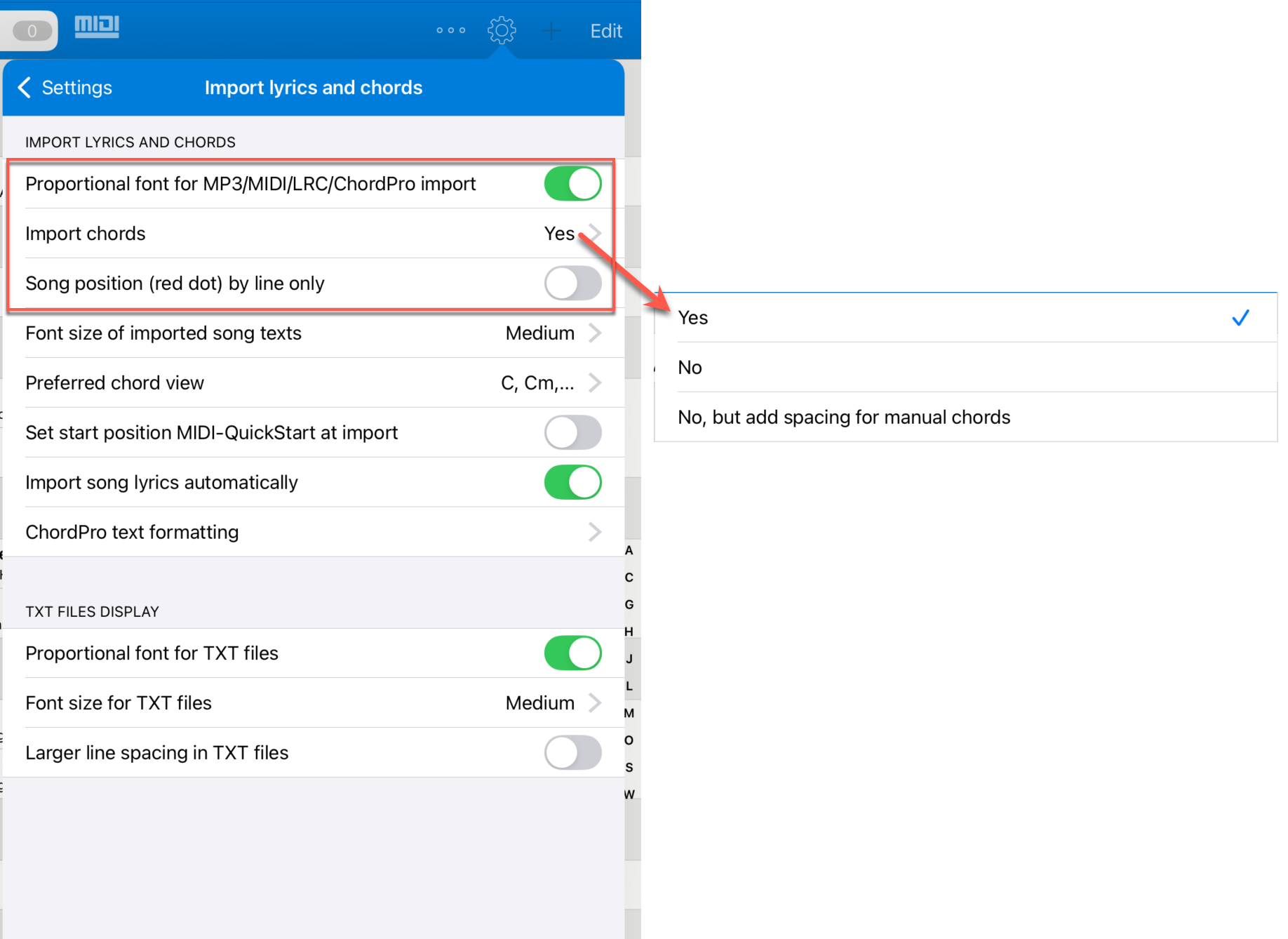
When importing lyrics from MIDI, ChordPro or MP3 files, SongBook+ can now create chords and syllable-by-syllable position markers even with proportional fonts.
Previously, this was only possible with non-proportional fonts. With proportional font, chords were not imported at all and the red position dot only showed the current line instead of the exact syllable.
The proportional font, chord import and accuracy of the position marker can now be set independently of each other. This allows songs to be laid out more attractively without giving up chords or more precise karaoke/MIDI positioning.
Mixer: Balance Controls for Audio Files
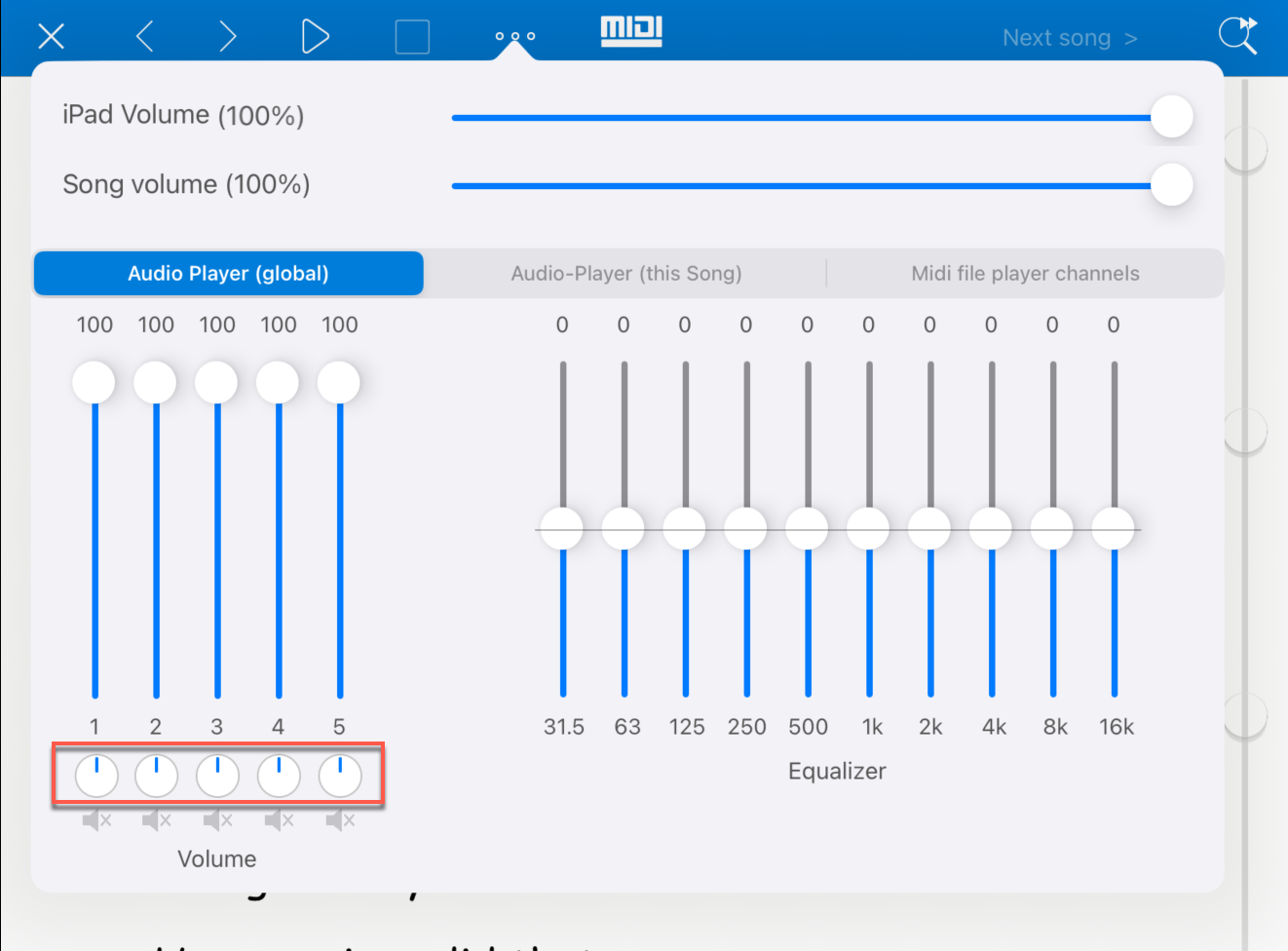
In the mixer, each of the five audio files now has a balance control in addition to the volume control. This allows left and right channels to be distributed directly in SongBook+.
A typical use case is five stereo audio files where different mono instruments are on the left and right. This makes it possible to fade up to ten mono channels in or out without external audio hardware with separate outputs.
Mixer: Restore Original Volumes of MIDI Channels
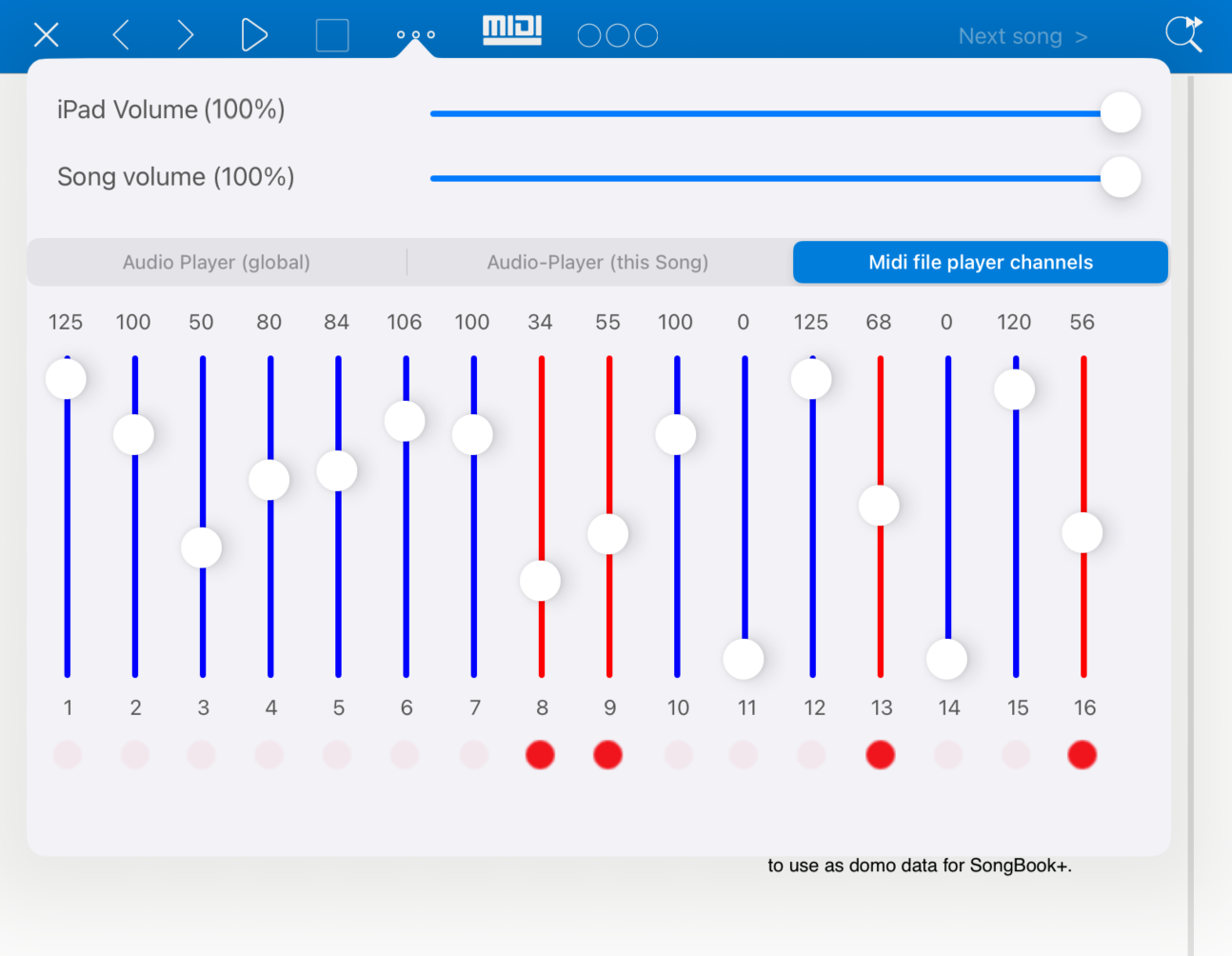
The mixer window remembers the original volumes of the MIDI channels.
When you adjust volumes in the "Midi file player channels" tab, sliders that differ from the value in the MIDI file are shown in red and receive a red dot below them. Pressing this red dot makes the slider jump back to the original volume from the MIDI file.
As soon as a slider matches the original value again, it is shown in blue again. This also applies if you manually move the slider exactly back to the original value.
Extended Function Button Actions
Several function button actions have been extended or newly added.
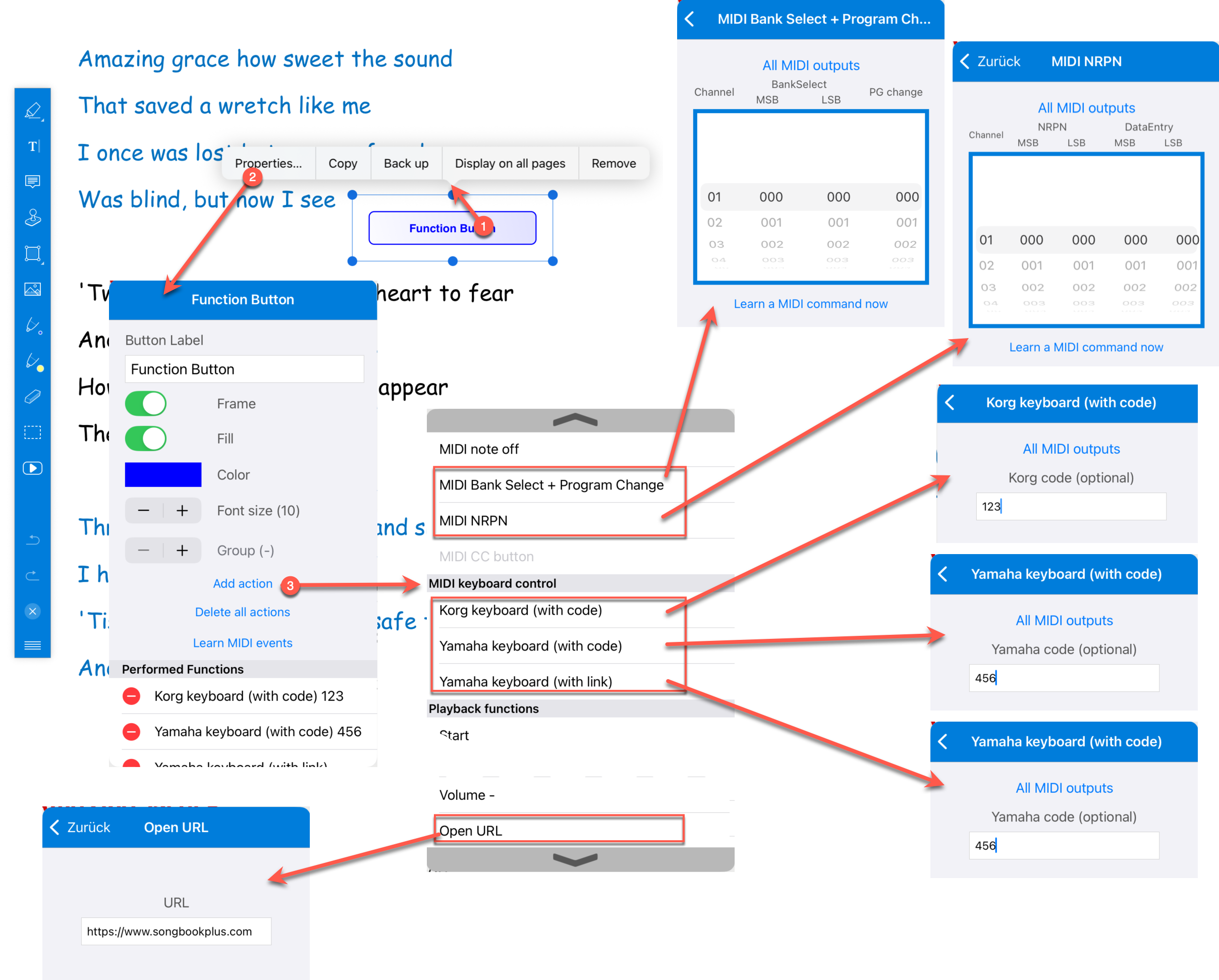
The actions "Korg keyboard (with code)", "Yamaha keyboard (with code)" and "Yamaha keyboard (with link)" now have an optional text field for a "Code". If this field is left empty, SongBook+ uses the code or link of the currently open song as before.
For Yamaha links, there is also a button "Link" that can learn the link directly from the connected keyboard. The link therefore does not have to be entered manually.
There are also the new actions "MIDI Bank Select + Program Change" and "MIDI NRPN". Both offer several setting wheels so that such sequences can be entered directly and more understandably. Previously, several individual MIDI Control Change and Program Change actions had to be combined for this.
With the new action "Open URL", a function button can open a URL in the browser or a special URL in an app intended for it.
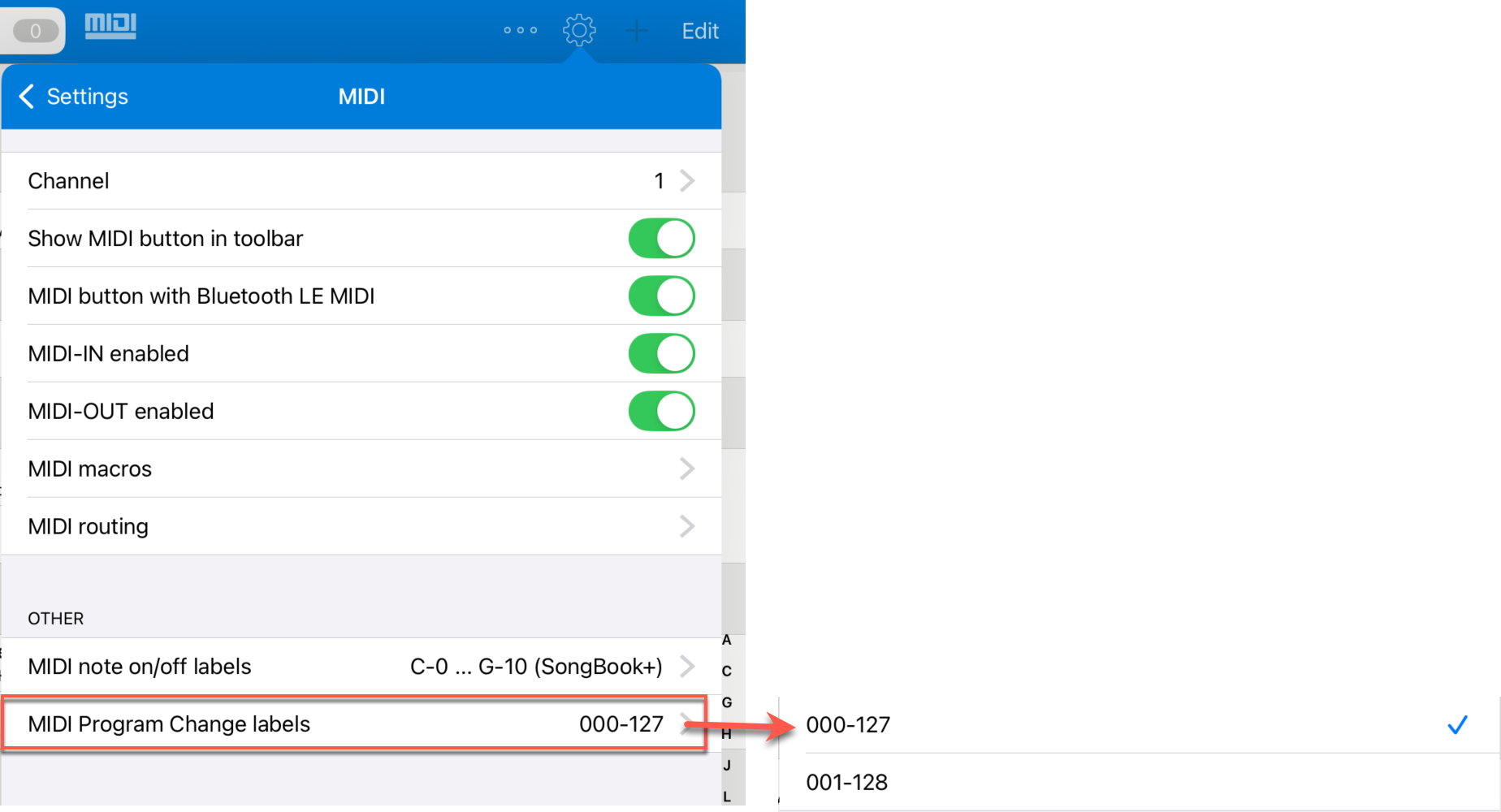
Display MIDI Program Change Values as 0-127 or 1-128
The display of MIDI Program Change values can be adapted to the numbering used by the instruments.
Some manufacturers and musicians work with the range 0-127, others with 1-128. SongBook+ can now label these values accordingly.
The setting affects not only new function button actions, but all places where Program Change values are displayed or edited, for example in a song's editing window, in the list view and in the MIDI foot pedal settings.
Status LEDs in the Toolbar and Synchronization Between Devices
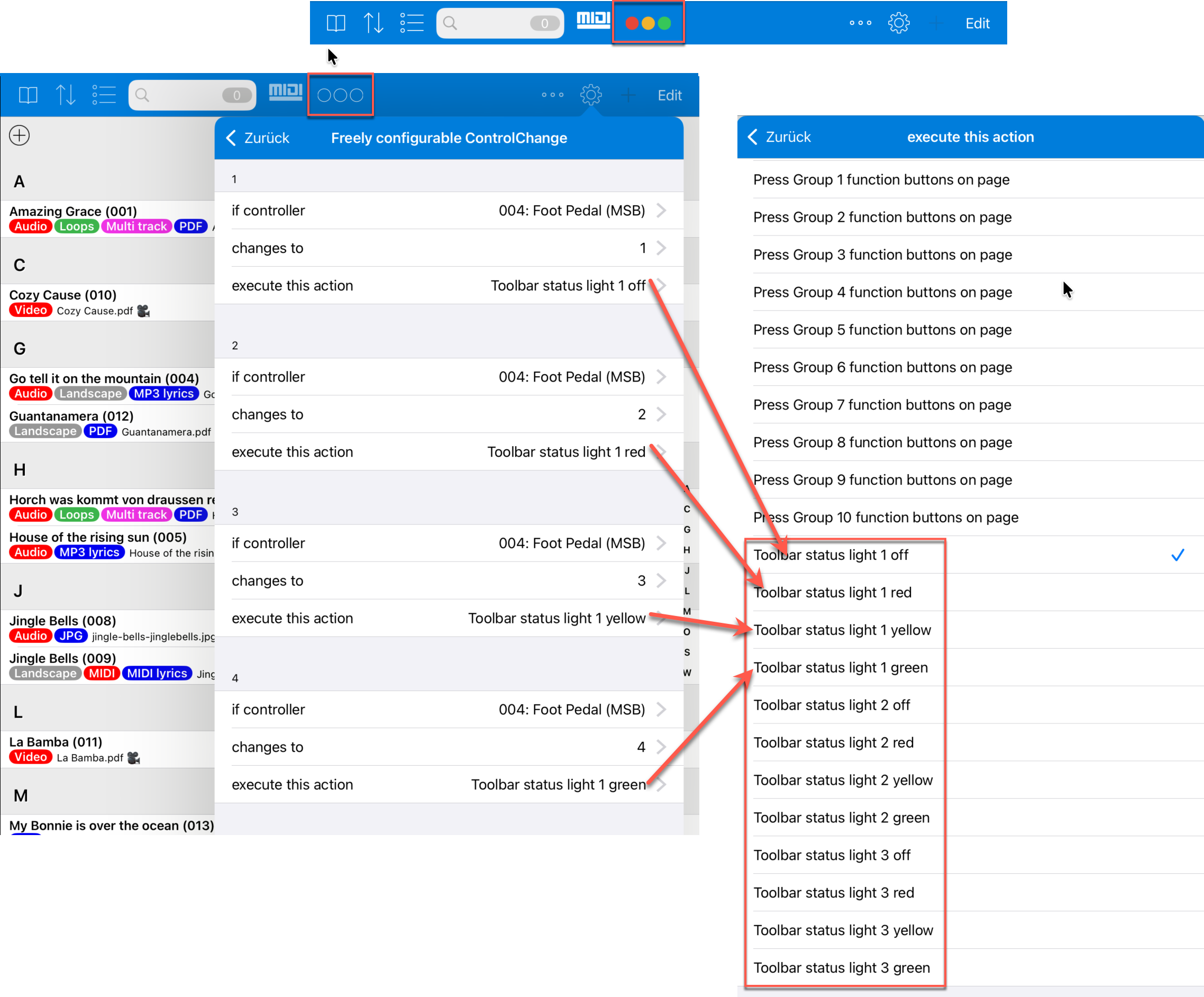
Up to three status LEDs can now be shown in the toolbar. New actions such as "Toolbar status light 1/2/3 red/yellow/green/off" can switch these displays specifically.
This is especially useful in combination with MIDI foot pedals: the LED actions can be used in the foot pedal settings and react to freely configurable incoming MIDI Control Change, MIDI Program Change or MIDI SysEx events.
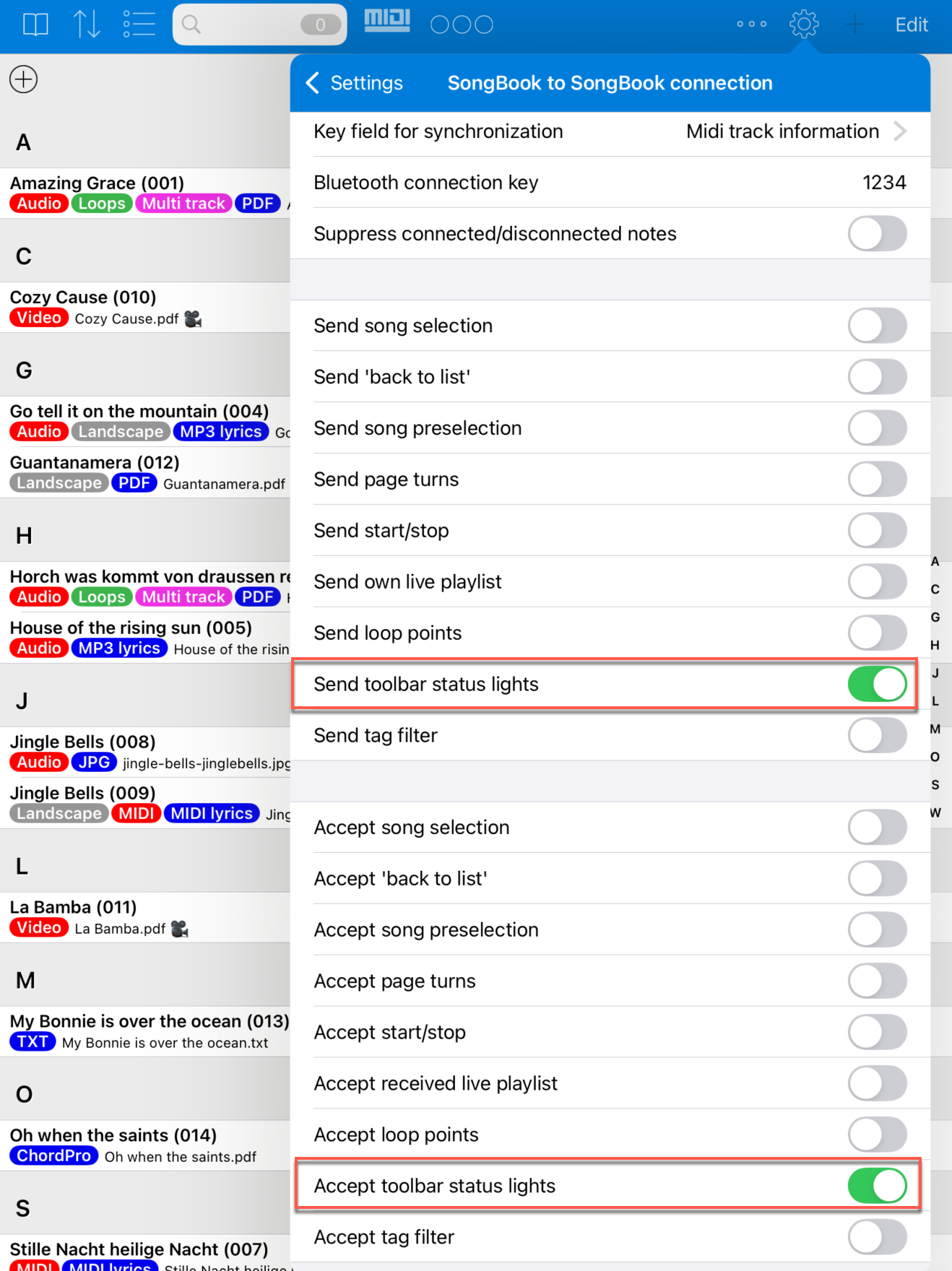
Via the "SongBook to SongBook connection", the status LEDs can be mirrored to connected devices. This allows several musicians to see the same visual status, for example for sequence states, signals or individual markings.
SongBook to SongBook: Mirroring Tags and Status Information
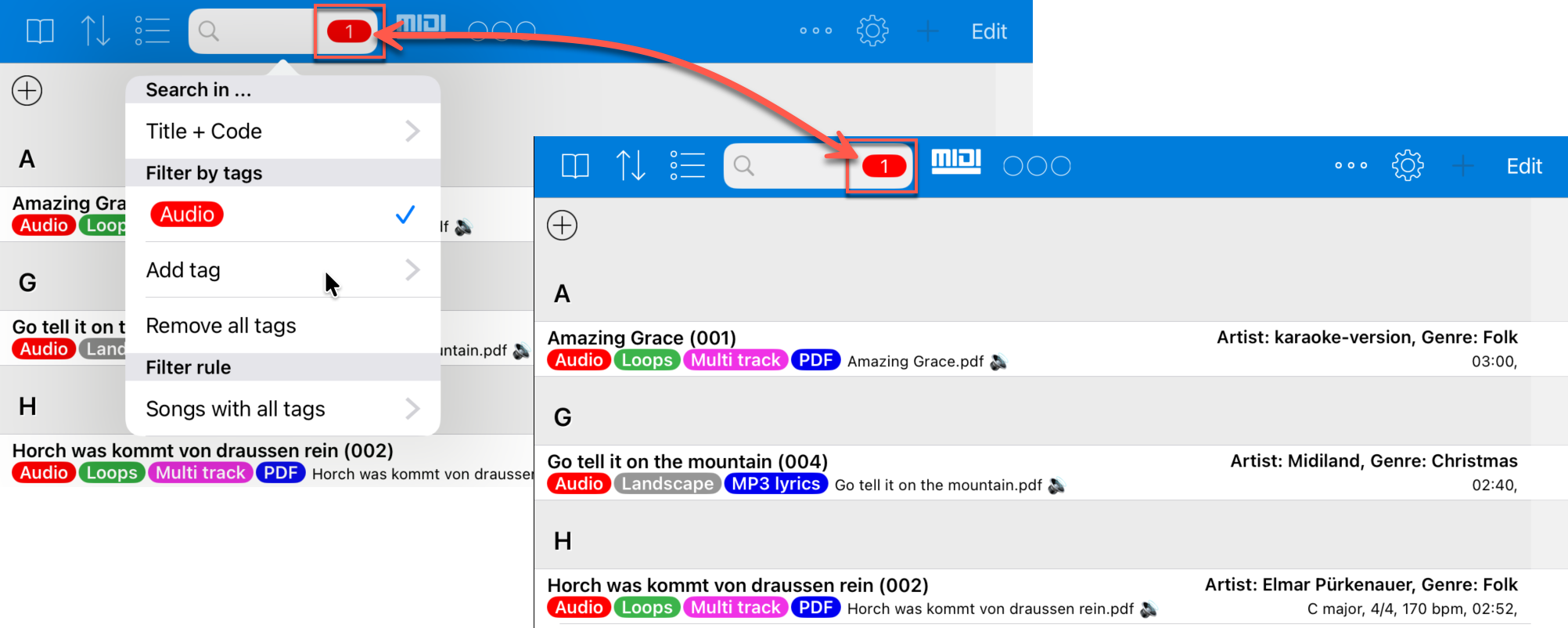
The "SongBook to SongBook connection" can now pass on selected tags from the search field to connected SongBook+ devices in addition to the status LEDs.
When one device filters by certain tags, the connected devices also apply this filter. This is especially helpful in group setups where several iPads should show the same part of a set list or the same song selection.
The corresponding options are enabled in the same synchronization settings as the status LEDs.
Tags with Special Functions
Certain tags can have a special meaning in Version 6.6.
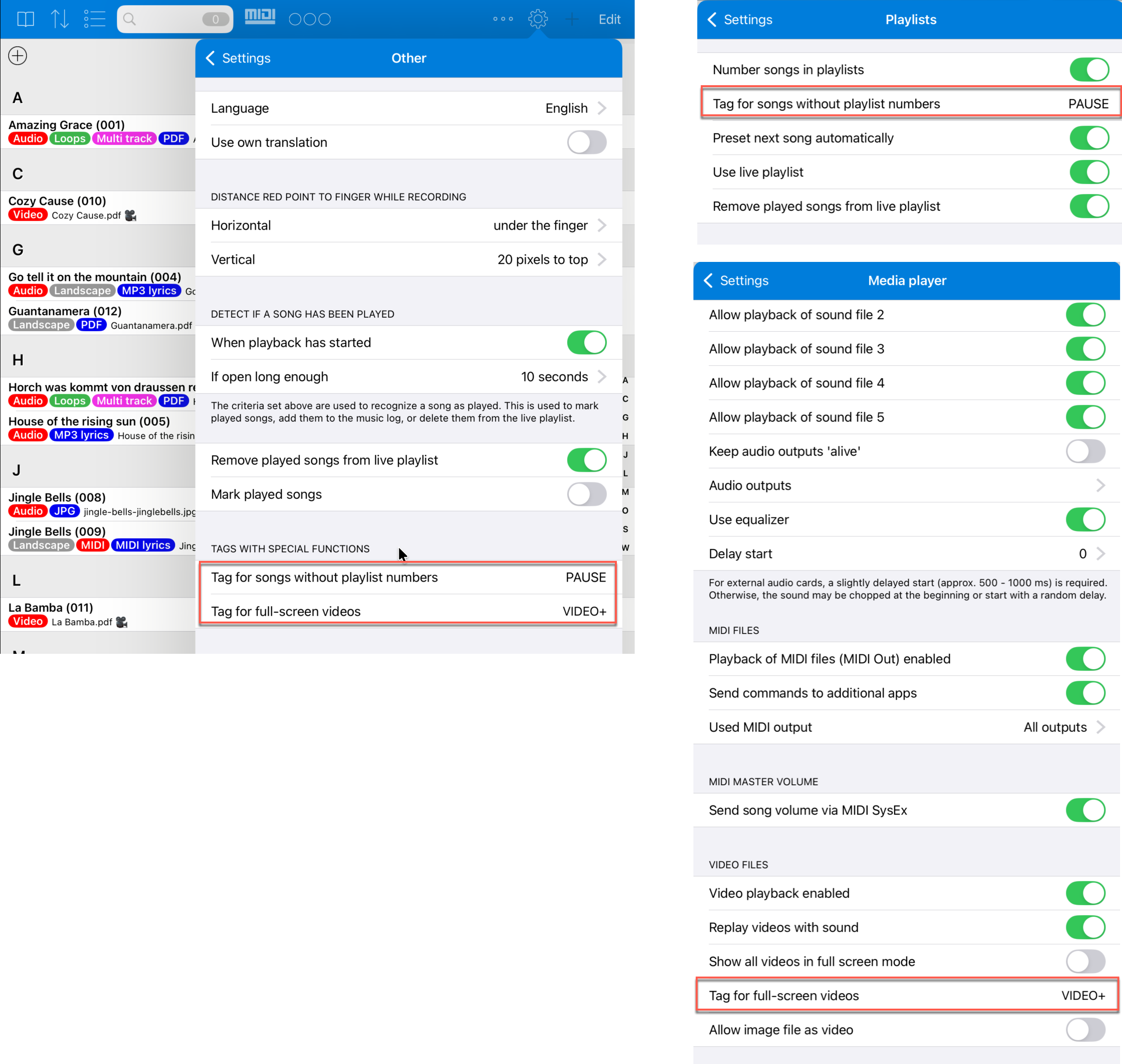
Songs with the configured video tag are shown as full-screen video, even if the global setting "Show all videos in full screen mode" is not enabled. The default value for this tag is "VIDEO+".
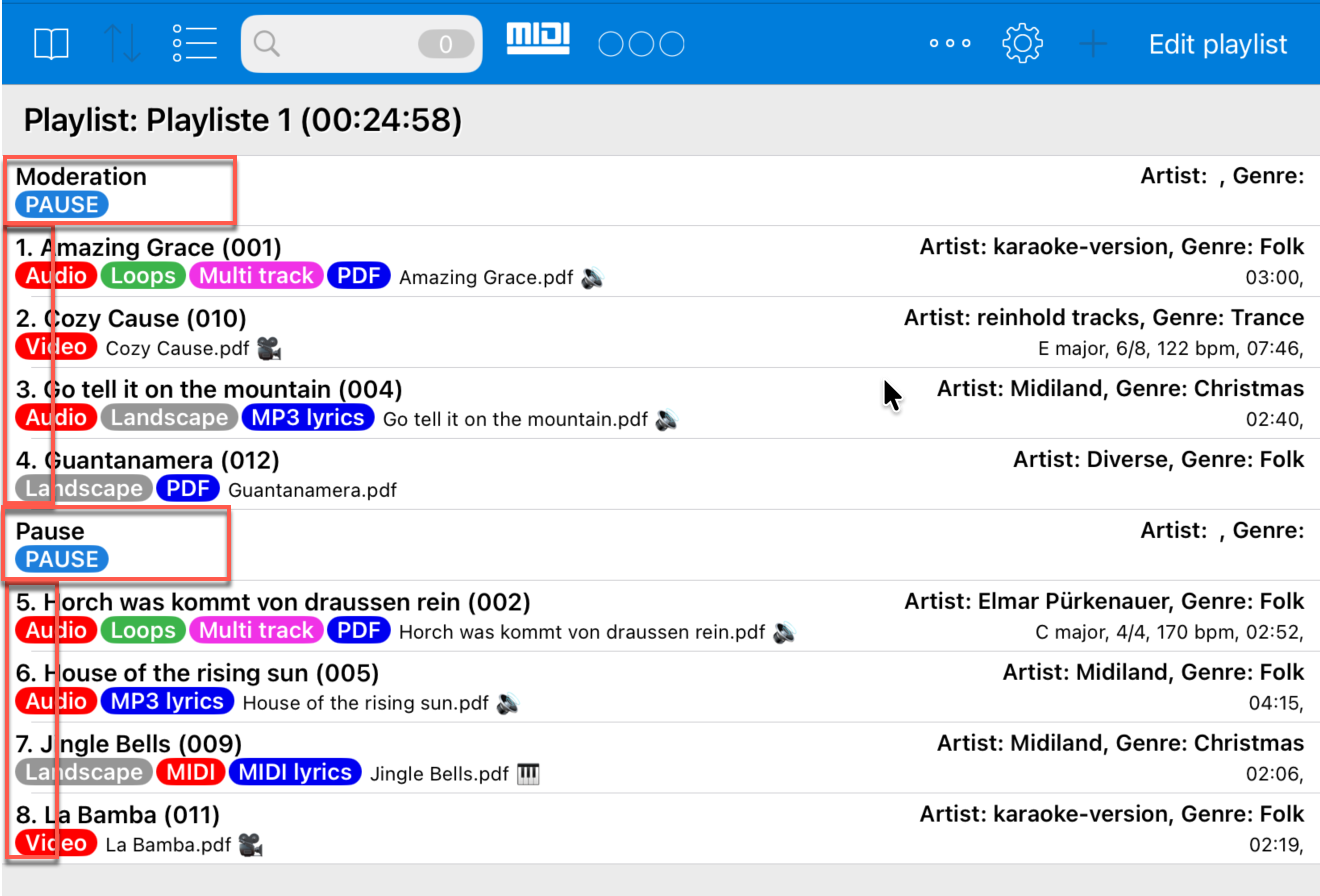
A second special tag excludes songs from numbering in playlists. This is useful, for example, for pseudo-songs such as breaks, moderation notes or other entries that should be visible but should not receive a running song number. The default value is "PAUSE".
Easier Insertion of MIDI Macros
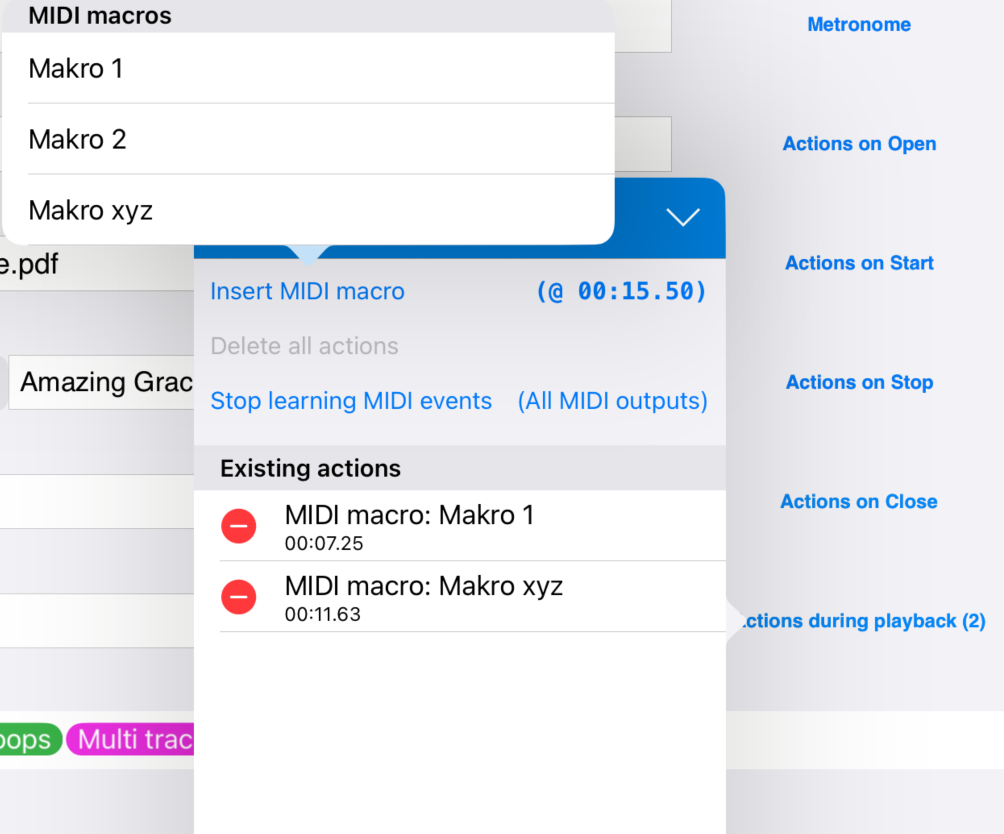
When recording "Actions during playback", the window "Insert MIDI macro" now remains open.
This allows several existing macros to be selected one after another and inserted into the recorded actions. Previously, the window closed after each insertion. For fast sequences, this was inconvenient because the window had to be opened again each time.
External Monitor: Adjustable Quality and Refresh Rate
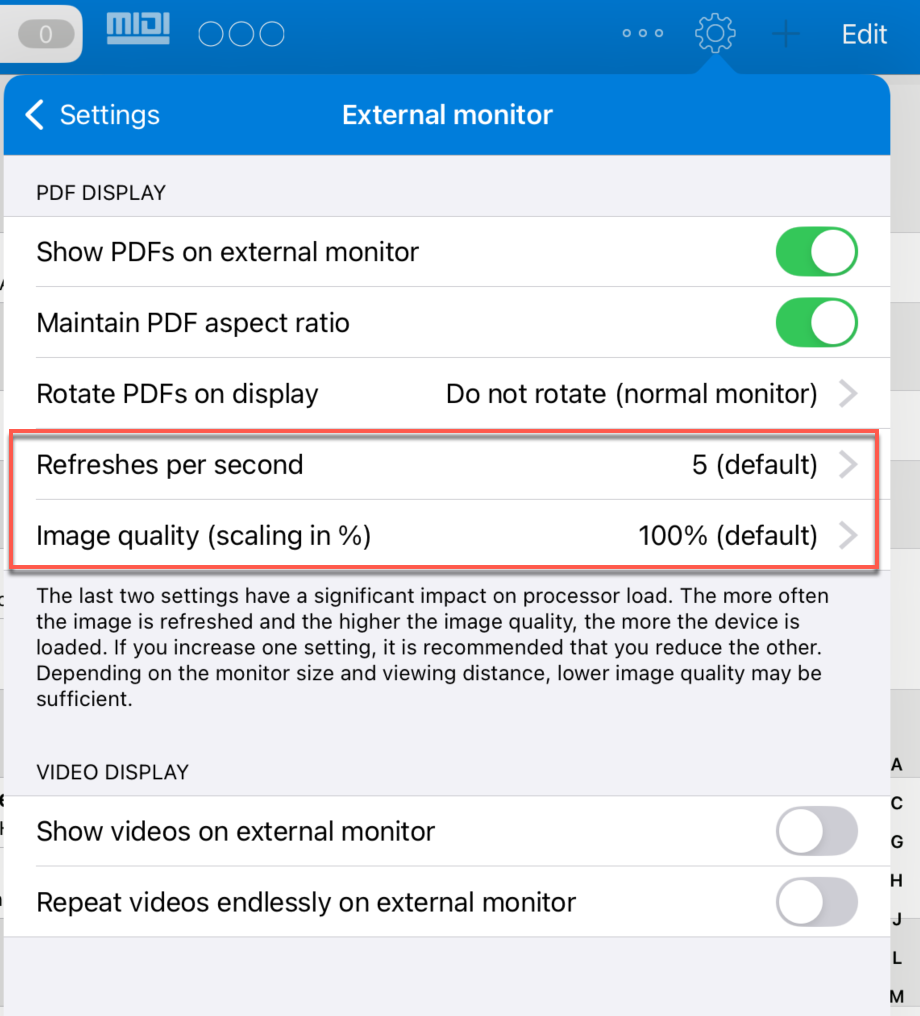
The display on an external monitor has been optimized for lower processor load.
"Image quality" and refresh rate can now be adjusted. Previously, the quality was fixed and in some situations higher than necessary.
Especially for long performances, older devices or setups with additional MIDI and audio processing, this setting can help save resources.
Scroll Mode Without Visible Page Spacing
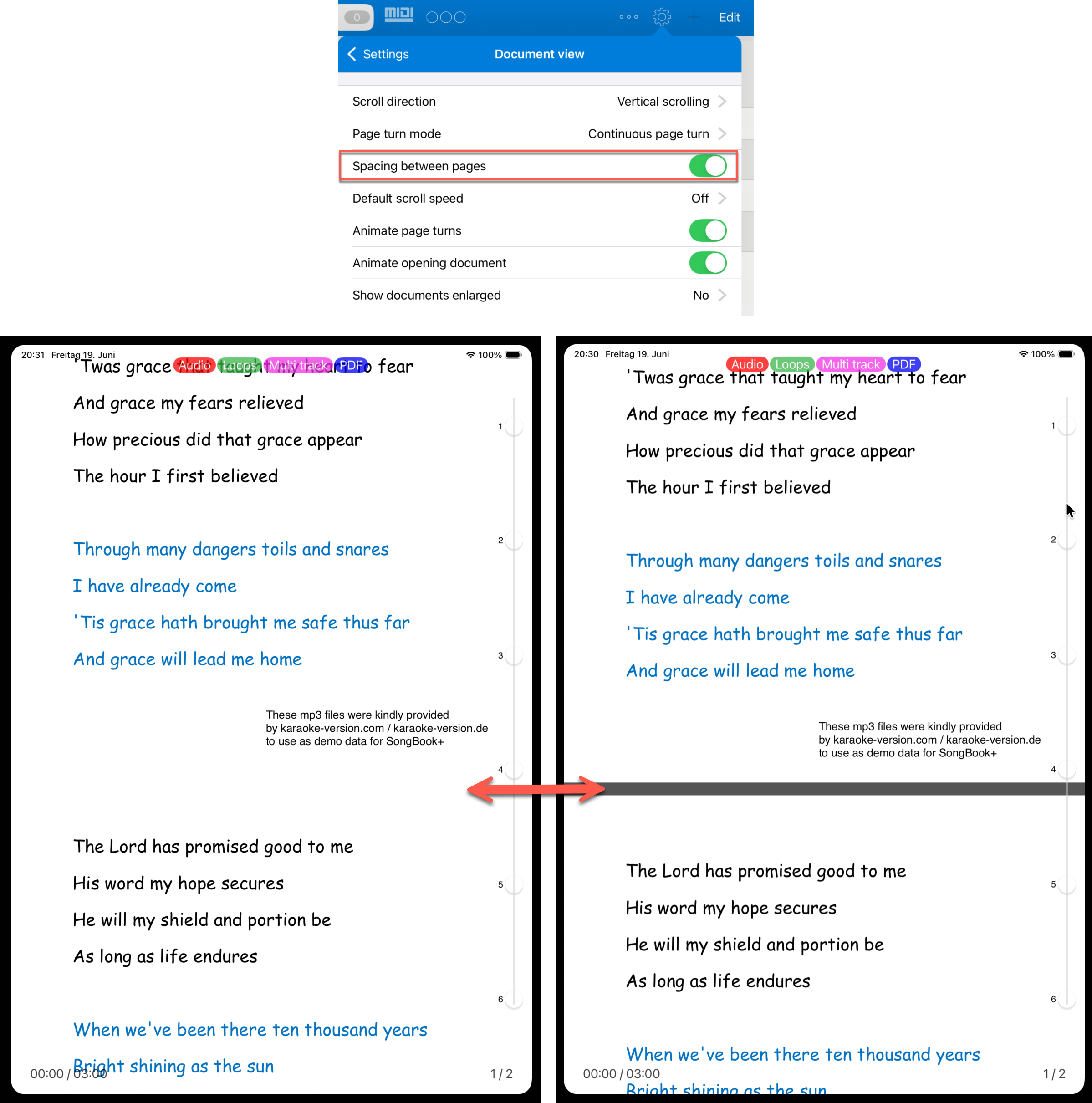
In scroll mode, the visible gray "Spacing between pages" can be disabled.
The display then looks like one long continuous roll of paper instead of individual pages with gaps. This can be more pleasant when scrolling continuously, especially when songs are multi-page PDFs.
List View with Icons for Linked Media
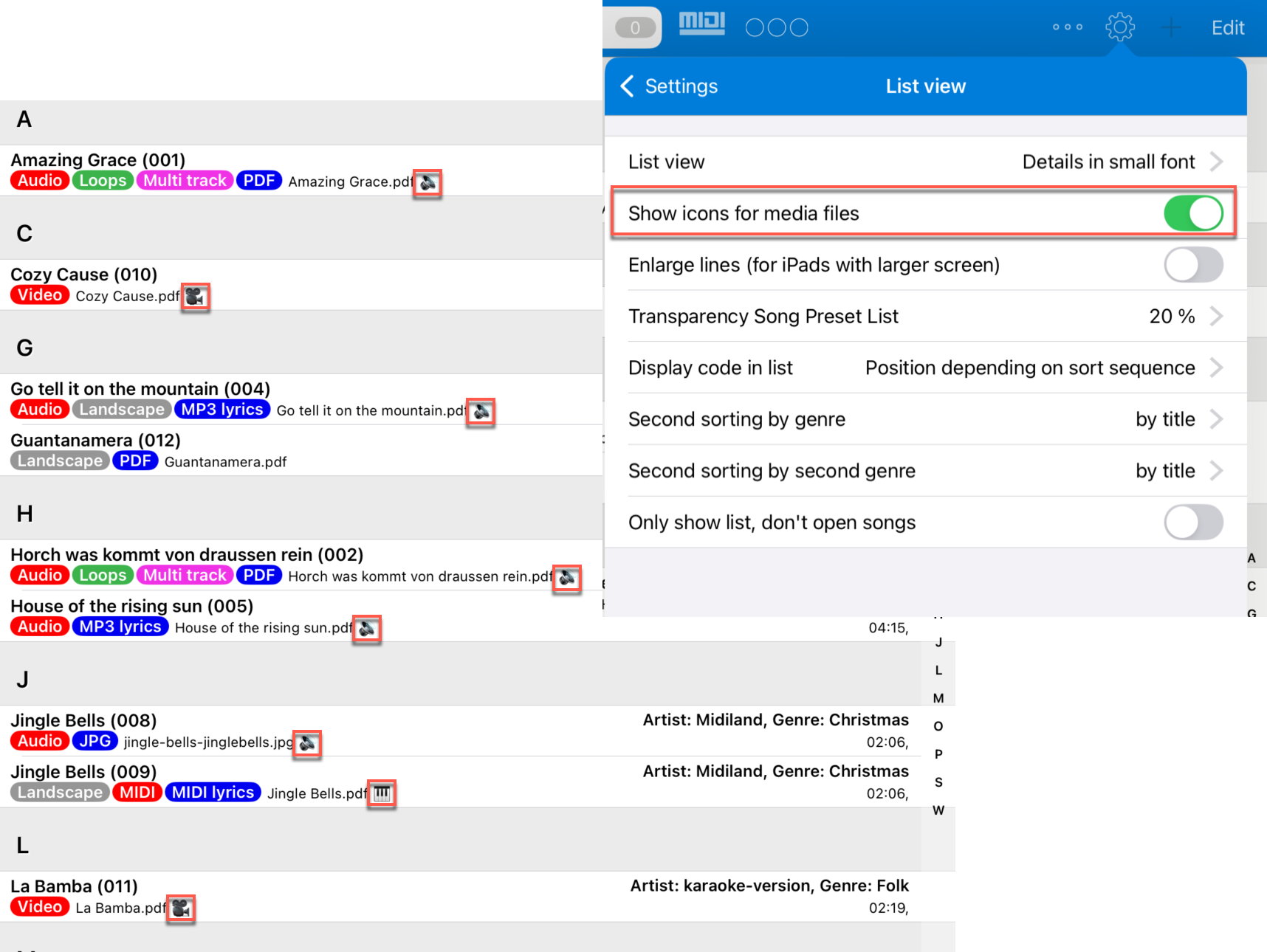
In the list view, small icons can show whether a song has linked audio, MIDI and/or video files.
This makes it faster to see which songs contain additional media without opening every detail.
New List View Variants with Large Title
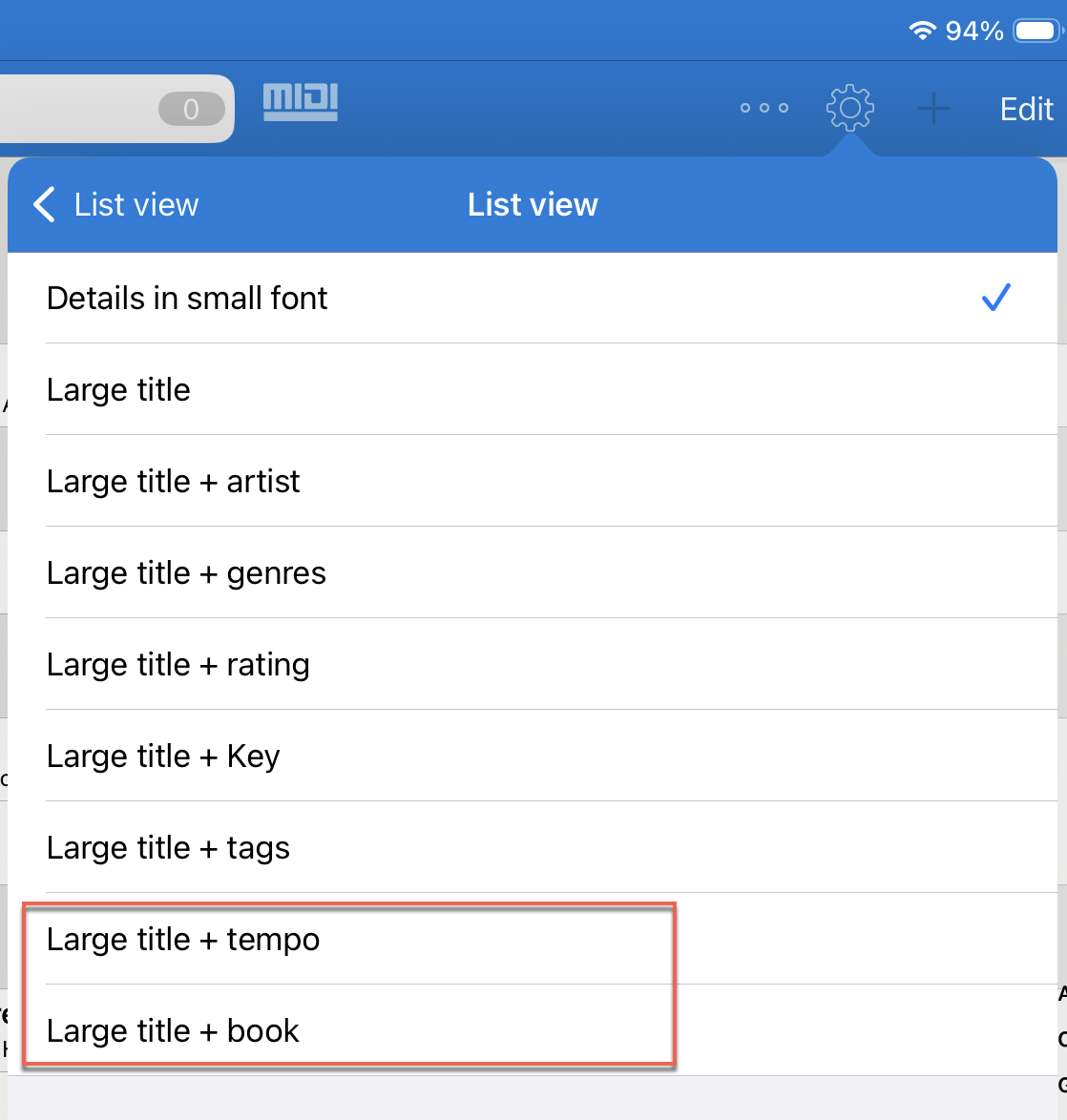
For "List view", there are two additional variants with a large title: "Large title + tempo" and "Large title + book".
The variant with the book name is only shown when the multiple books feature is enabled. It is especially useful when songs from all books are shown at the same time.
Show Song Tempo and Metronome Tempo Together
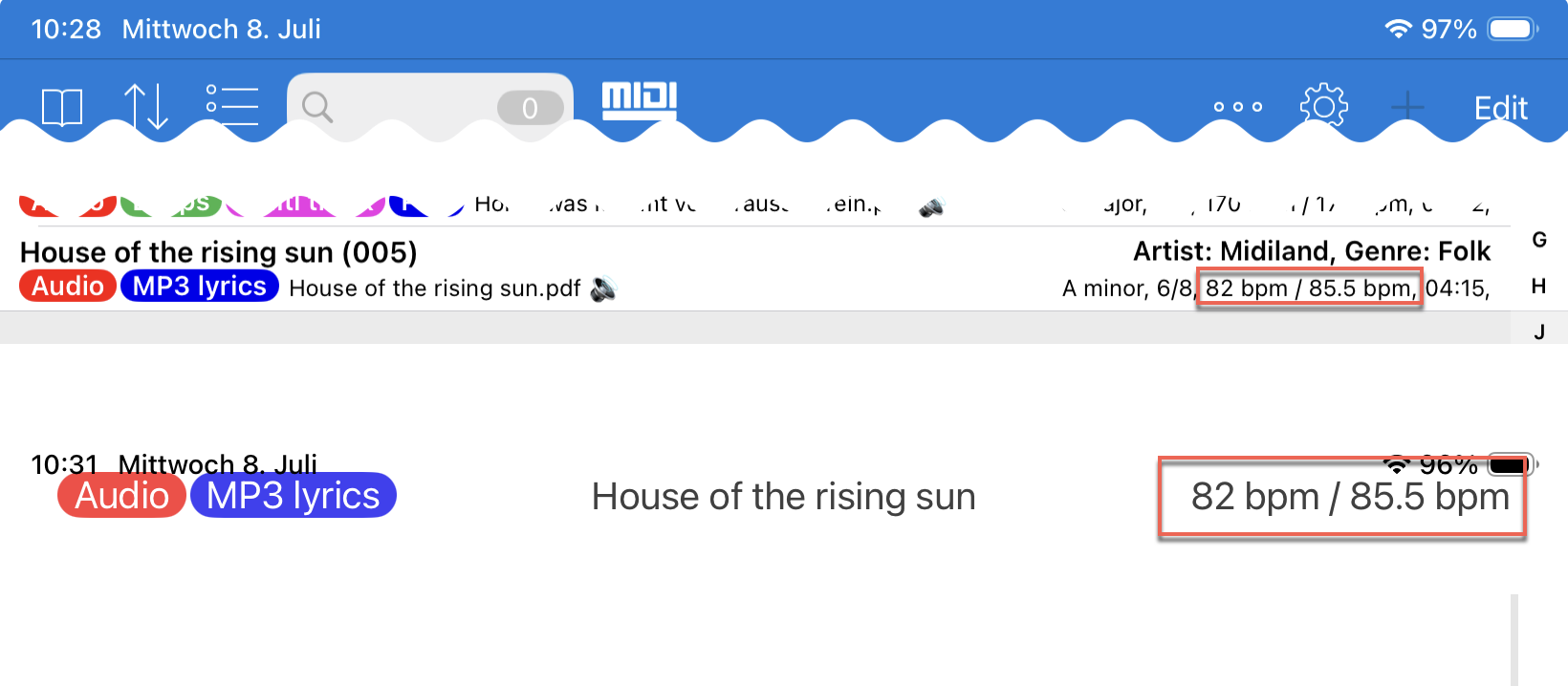
SongBook+ can now show the metronome tempo in addition to the song tempo.
If only one of the two tempos is defined, or if both have the same value, a single value is shown. If song tempo and metronome tempo differ, SongBook+ shows both values.
The display appears both in suitable list views and in the song view.
Page Turns While the Song Preselection List Is Open
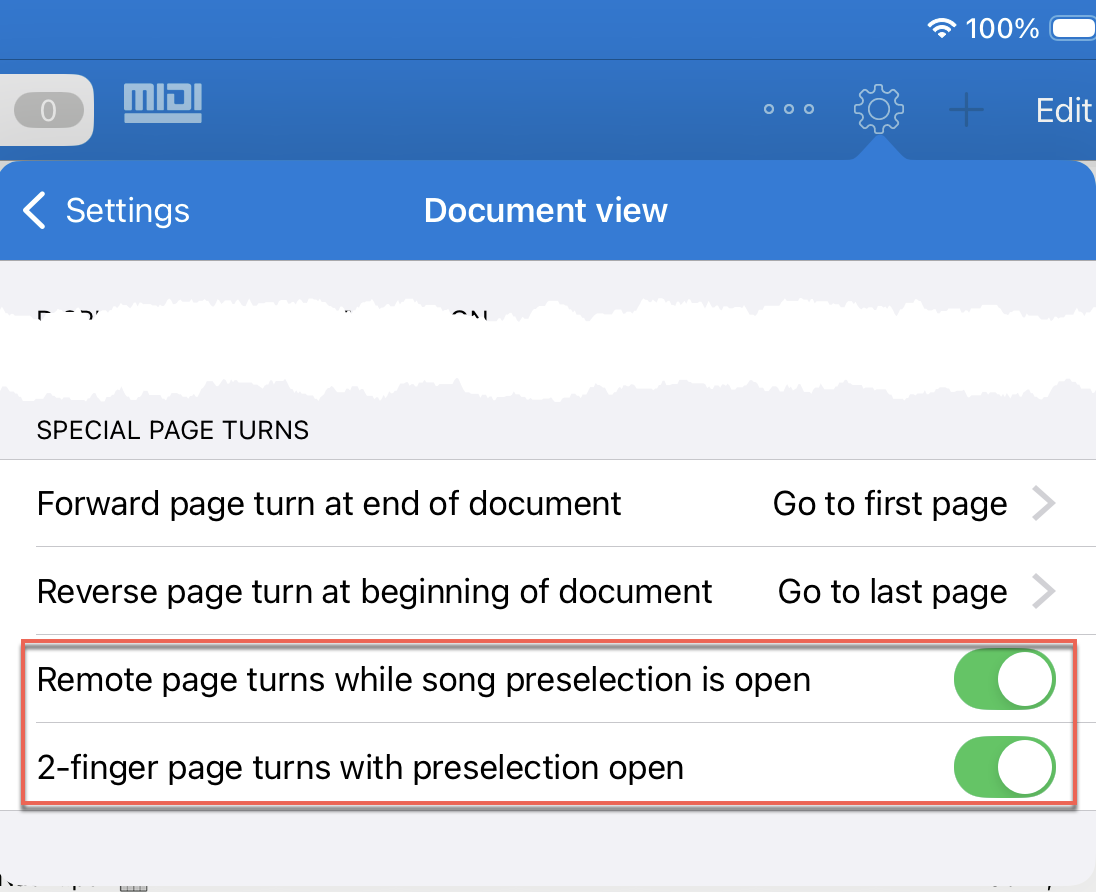
In the settings under "Document view", in the "Special page turns" section, there are two new options for turning pages while the song preselection list is open.
With the first option, a foot pedal or other remote control can continue to turn pages in the open song. Previously, when the song preselection list was open, the list itself was scrolled instead.
With the second option, a 2-finger swipe gesture in the song preselection list can also turn the page in the open song instead of scrolling the list rows.
Sort MIDI Macros, Actions and Function Buttons by Drag and Drop
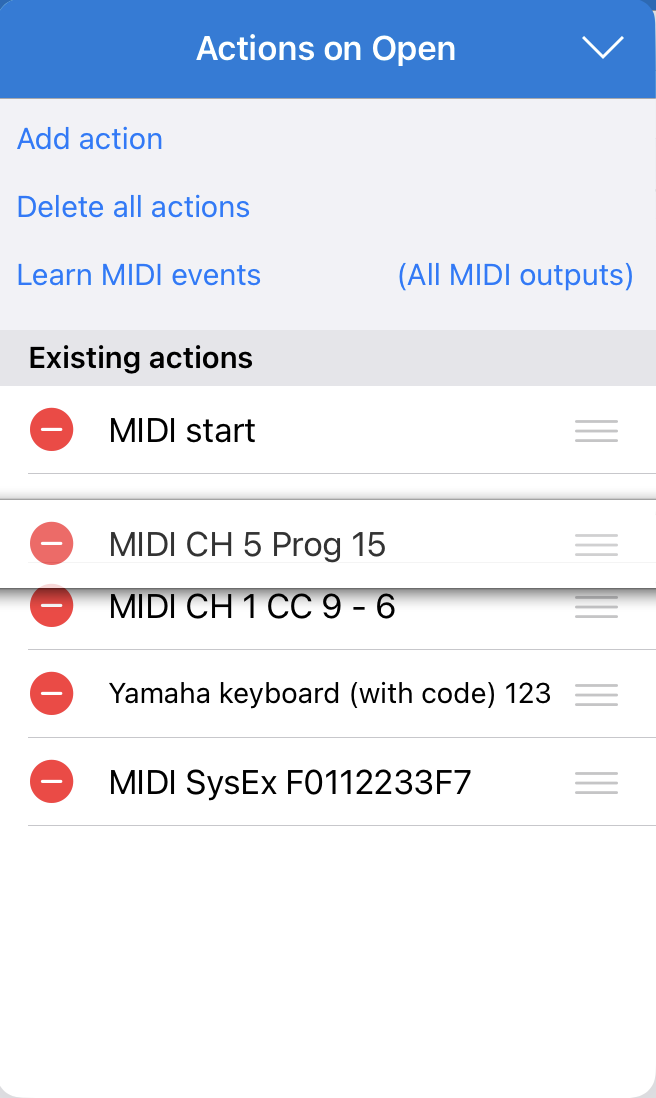
Actions in MIDI macros, in function buttons and in the lists "Actions on Open", "Actions on Start", "Actions on Stop" and "Actions on Close" can now be sorted by drag and drop.
This allows the order of existing entries to be adjusted directly without deleting and recreating them.
Improved Autocomplete for Artist and Genres
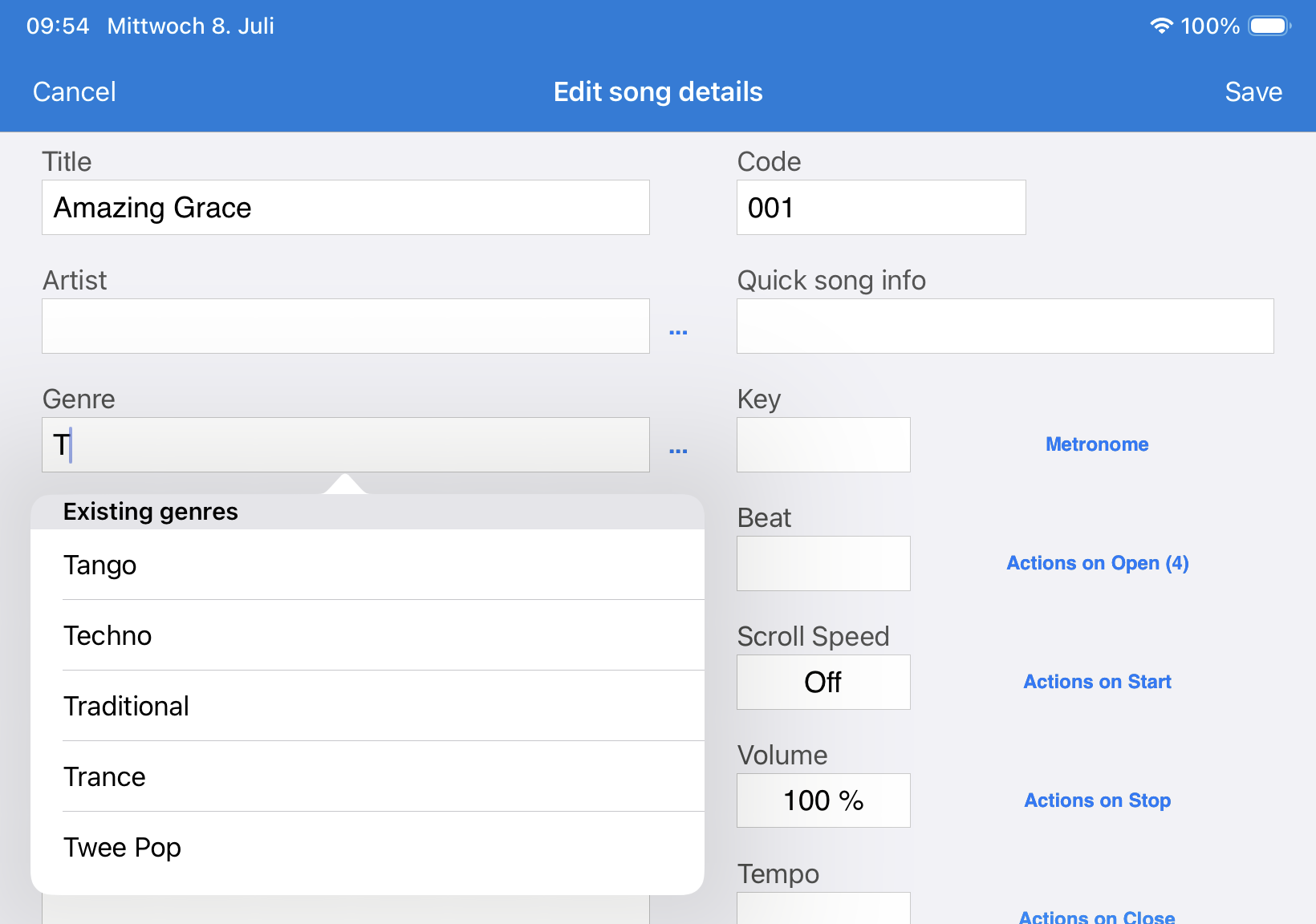
Autocomplete when entering artist or genres has been improved.
It now also works when a keyboard-simulating foot pedal with forced virtual keyboard is enabled. Autocomplete is also now available on iPhone.
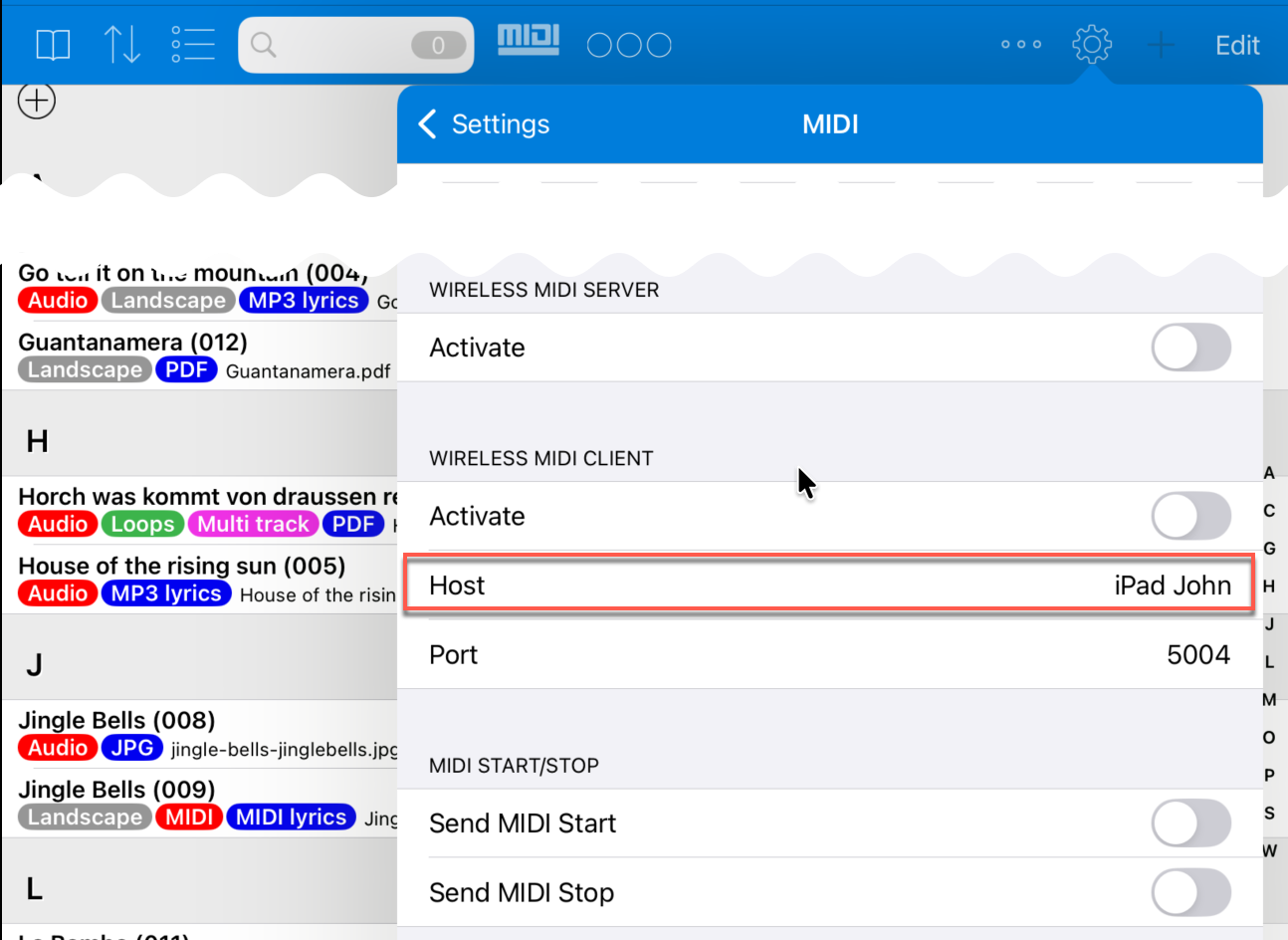
Wireless MIDI Client: Connect to Server SongBook by Device Name
In the "Wireless MIDI client", the device name of the server SongBook can now be entered instead of only the IP address.
Technically, this was already possible before, but only if spaces in the device name were manually replaced by hyphens and ".local" was appended. SongBook+ now performs this conversion in the background if there is no IP address in the "Host" field.
MIDI Import: Choice Between XF and ChordPro Chords
If a MIDI file contains both chords in XF format and chords in ChordPro format, you can now choose during import which variant SongBook+ should use.
This is especially helpful for files that come from different programs or workflows and contain multiple chord sources.
Improvements When Printing Lists
The list printing function has been improved. Long titles, genres and similar fields should no longer overlap.
Colored tags are now also printed.