Version 6.5
Changes in Version 6.5
Version 6.5 included, among other things, the following new features:
- Multi-selection with "Bulk edit" functions for selected songs
- Undo/redo function for annotations
- Soft stop and fade-out for audio, MIDI and video players
- Direct editing of ChordPro files and TXT files
- Context menu also for songs in playlists
- Bluetooth LE MIDI menu directly in the MIDI button
- Manual zooming can be disabled in the settings
- The video player's audio track can be disabled in the settings
- MIDI CC selection list with additional labels
- MIDI Note On/Off selection list with different notations
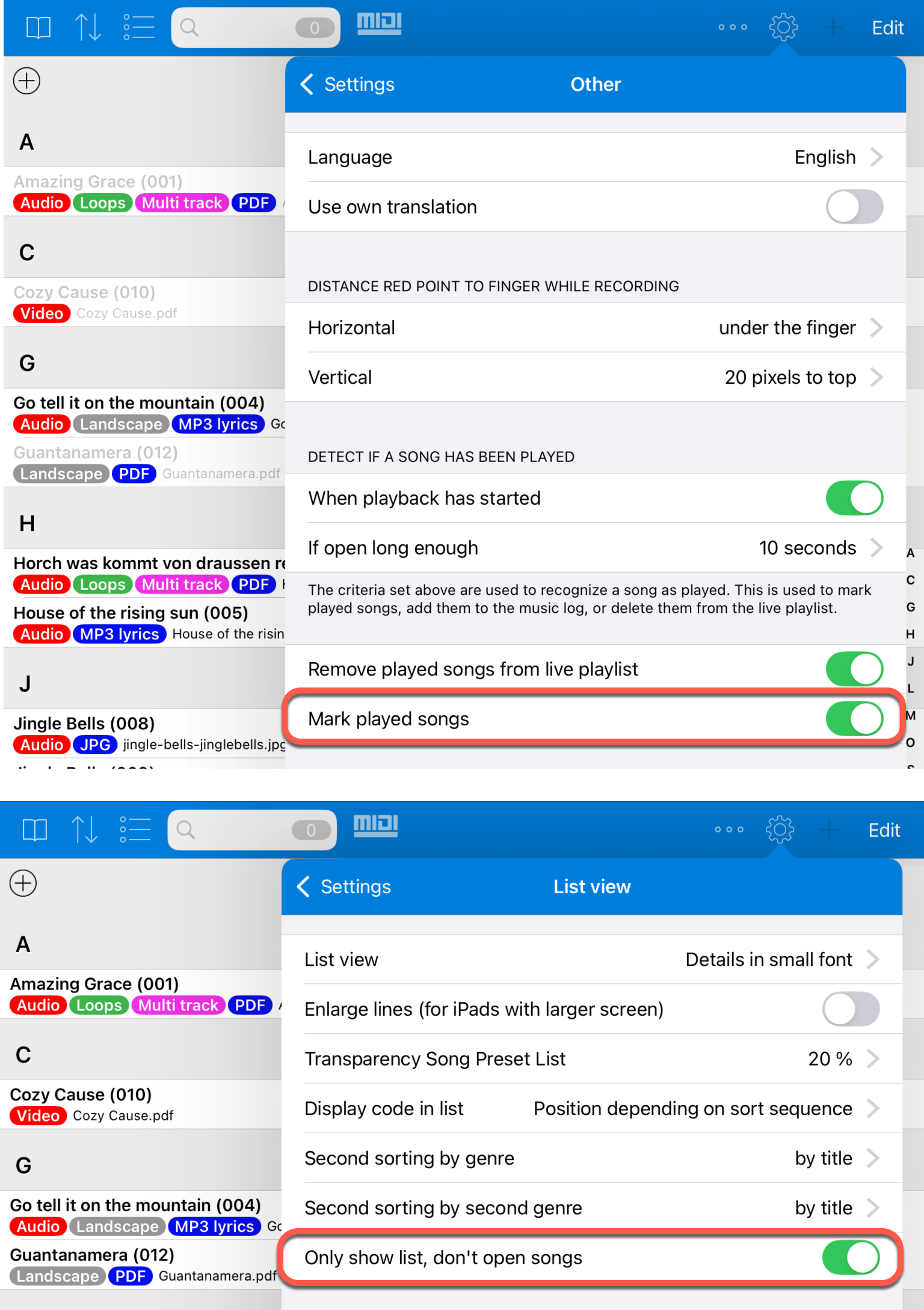
- Songs can also be marked as played when the option "Only show list, don't open songs" is enabled
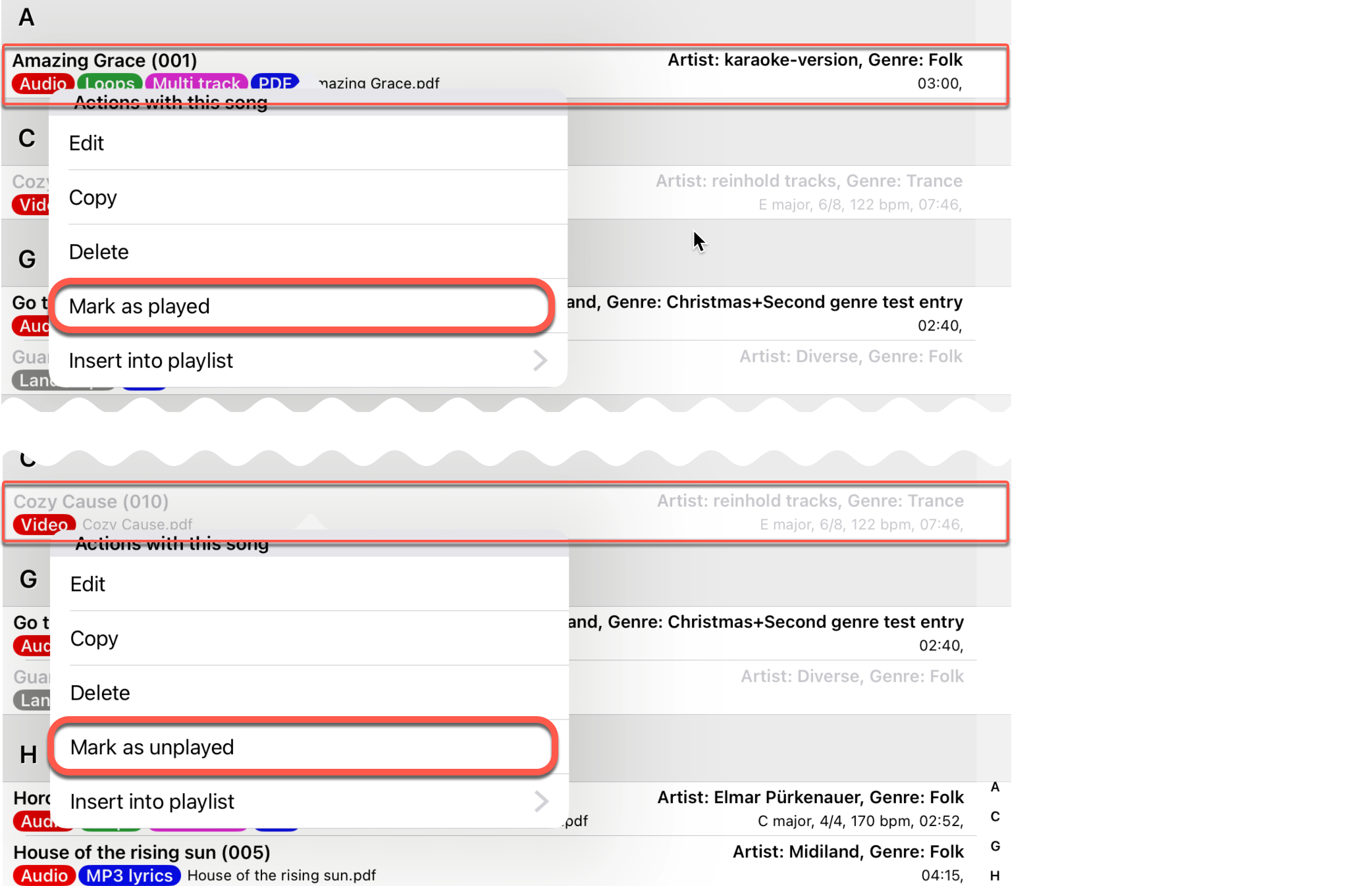
- Marking and unmarking played songs via the context menu
- Adjusting the position of overlays when the toolbar is set to "always visible"
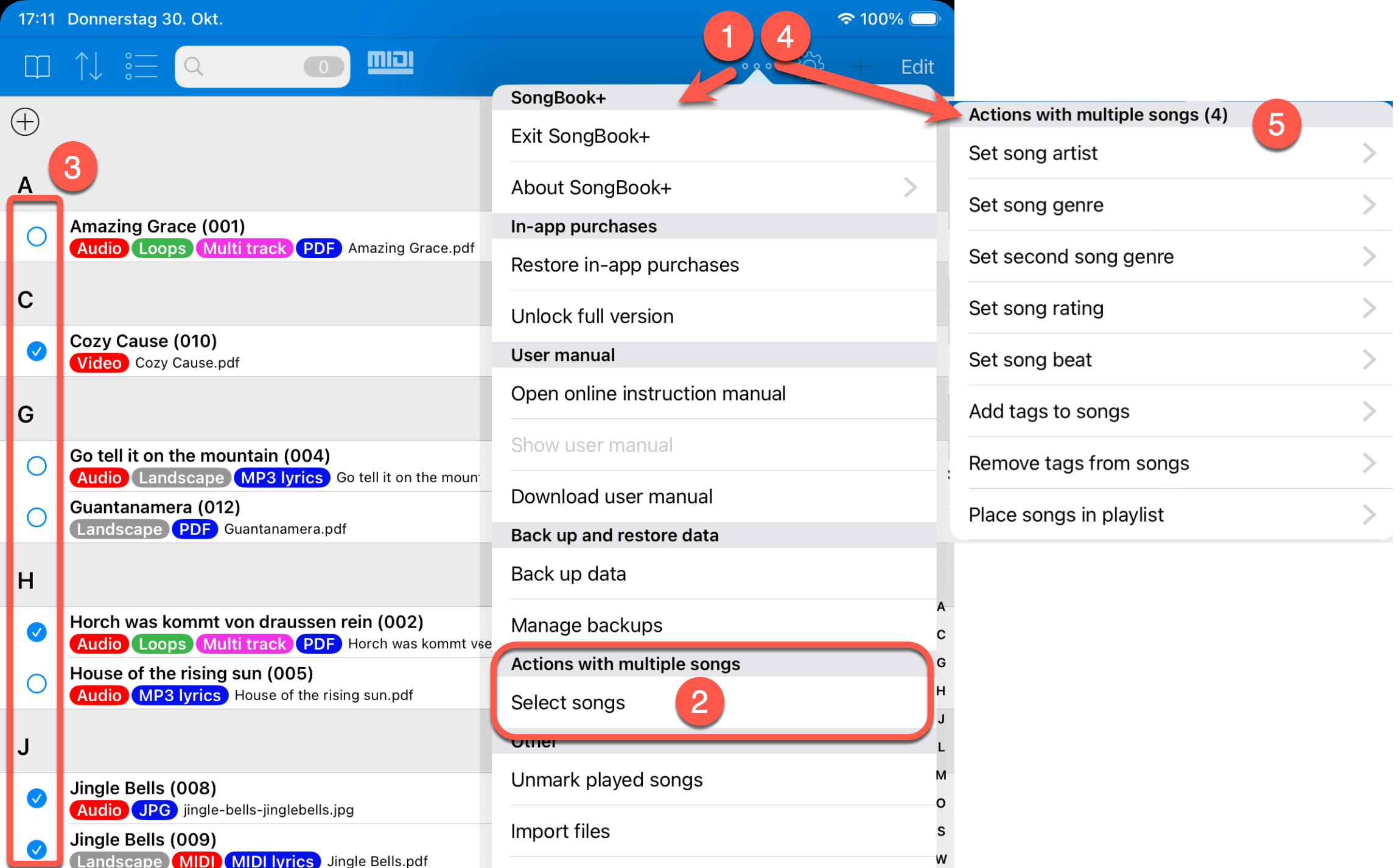
Multi-Selection with "Bulk Edit" Functions for Selected Songs
Multiple songs can now be selected. Afterwards, the same function can be applied to all selected songs together.
For example, you can change the artist or genre for multiple songs at once, add or remove tags, or insert the selected songs into a playlist.
Undo/Redo Function for Annotations
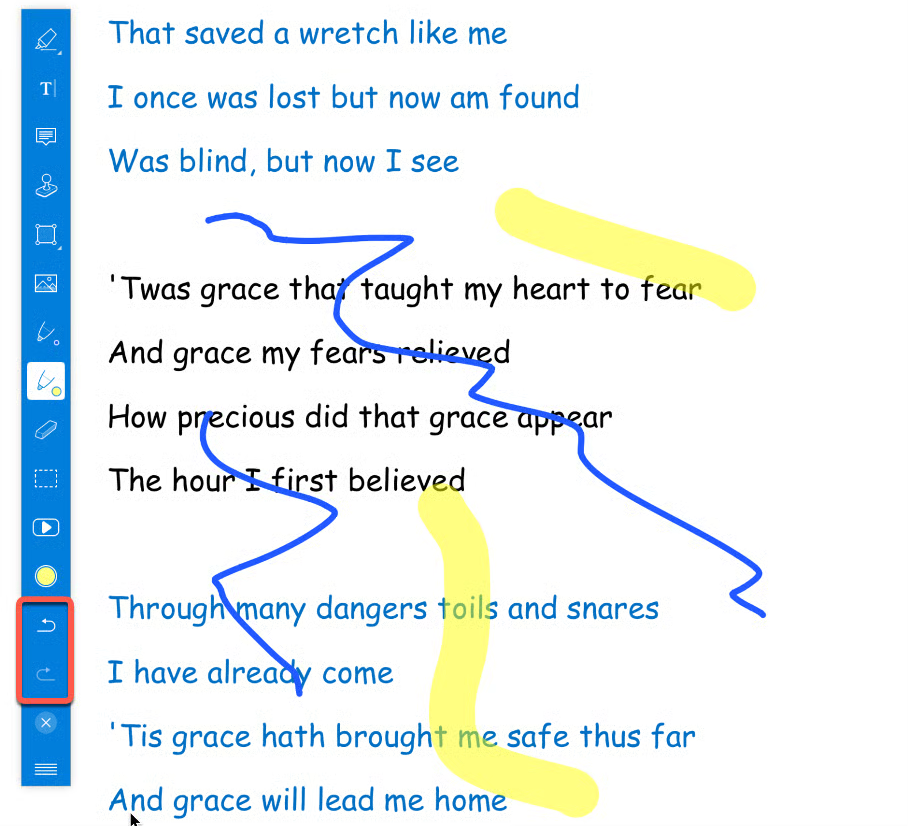
When inserting annotations, there are new buttons for "Undo" and "Redo" in the toolbar.
This lets you undo or redo the last steps when drawing freehand or drawing shapes.
Soft Stop and Fade-Out for Audio, MIDI and Video Players
The "Media player" has new options for slow or fast fade-outs.
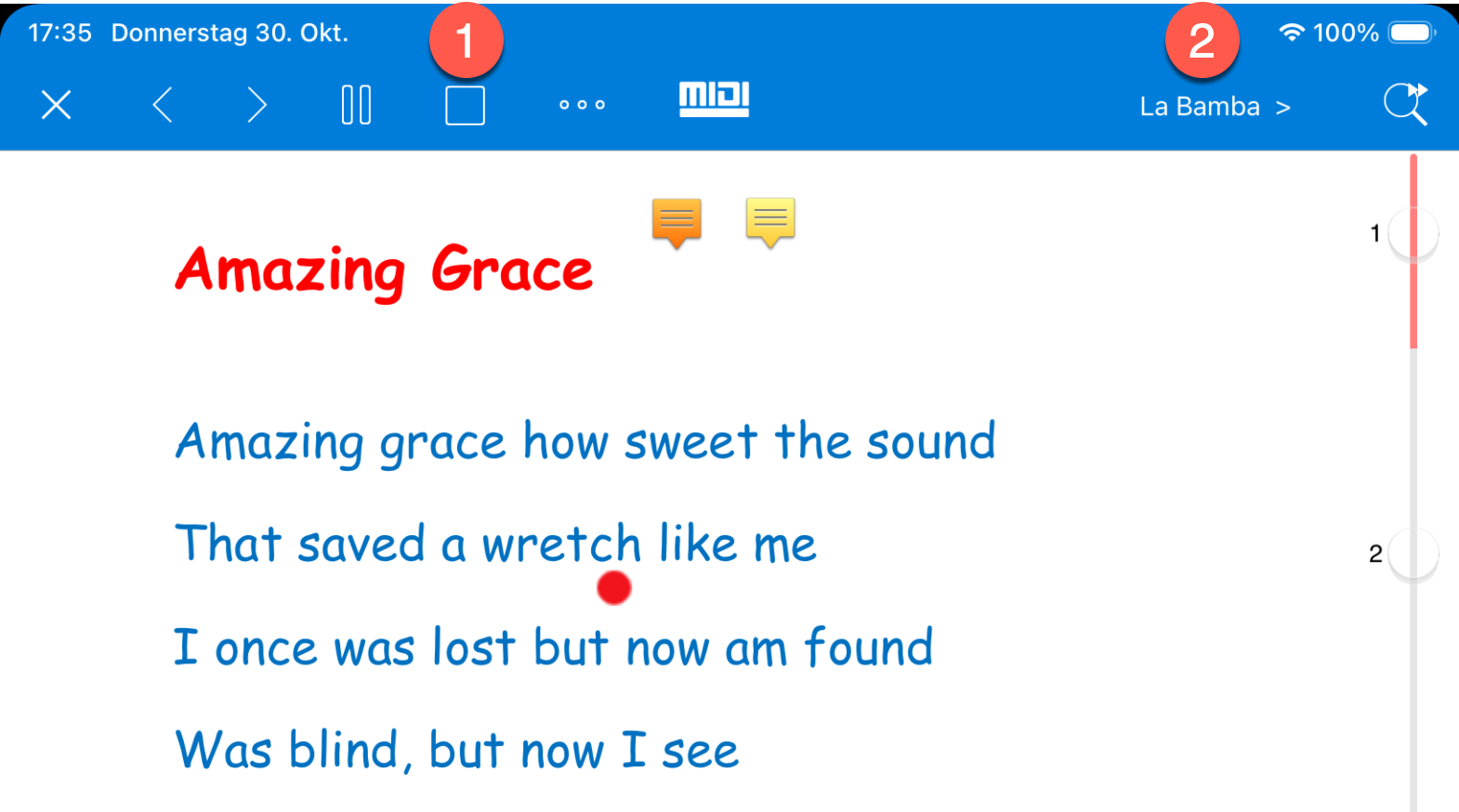
When the "Stop" button (1) is pressed, playback is no longer stopped abruptly immediately, but ends with a short or longer fade-out depending on the setting.
When jumping to the preselected next song (2), the current playback can also be ended with a fade-out before SongBook+ switches to the next song.
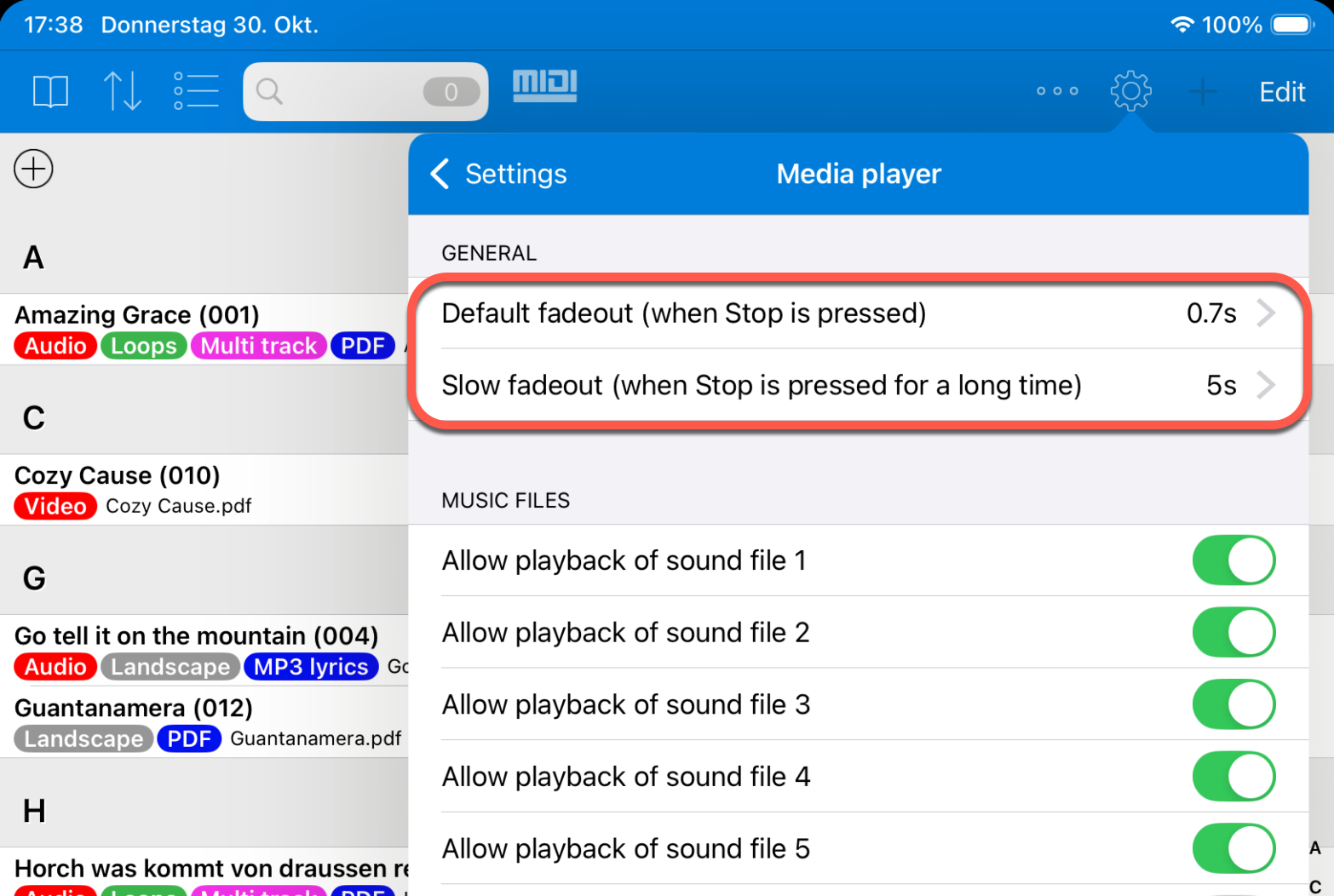
The duration for the fast and slow fade-out can be adjusted in the settings of the "Media player".
Direct Editing of ChordPro Files and TXT Files
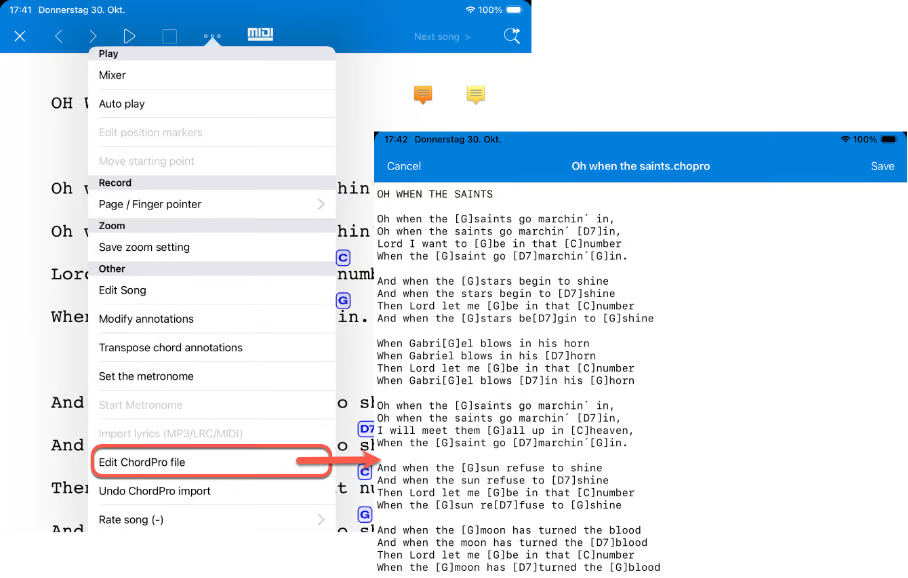
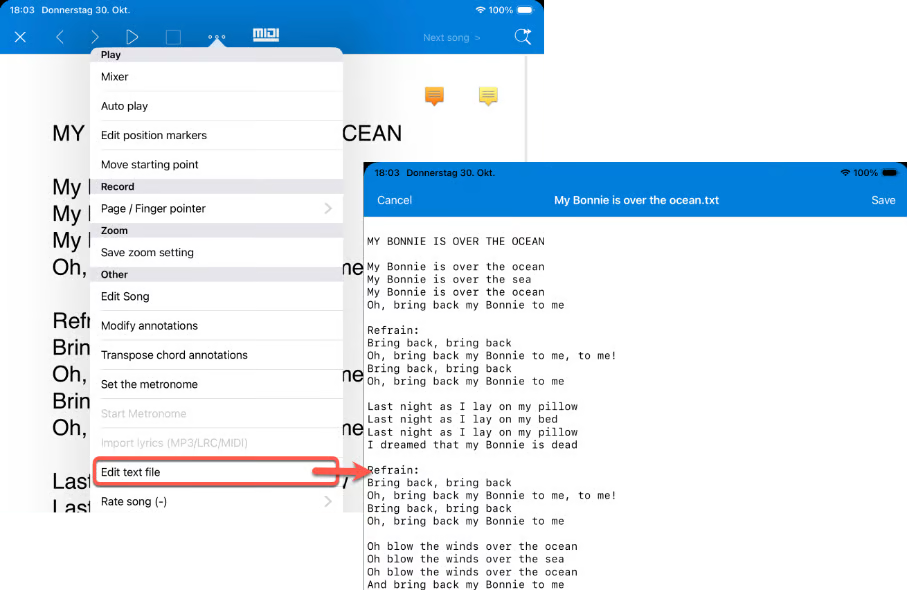
Already imported ChordPro files and TXT files can now be edited directly in SongBook+.
Context Menu Also for Songs in Playlists
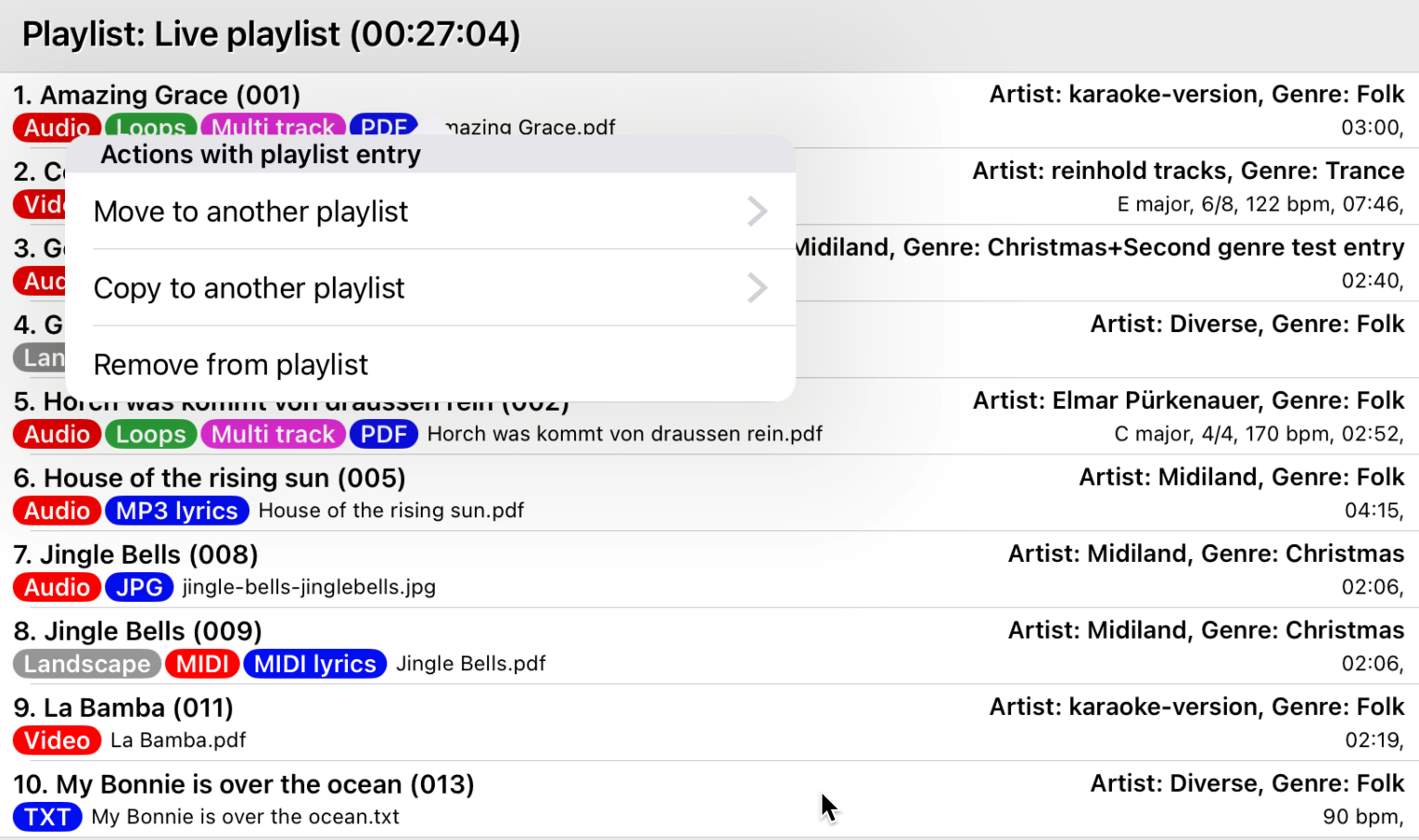
Playlists now also have a context menu when you long-press a song.
There you will find functions to move the selected song to another playlist, copy it to another playlist, or remove it from the current playlist.
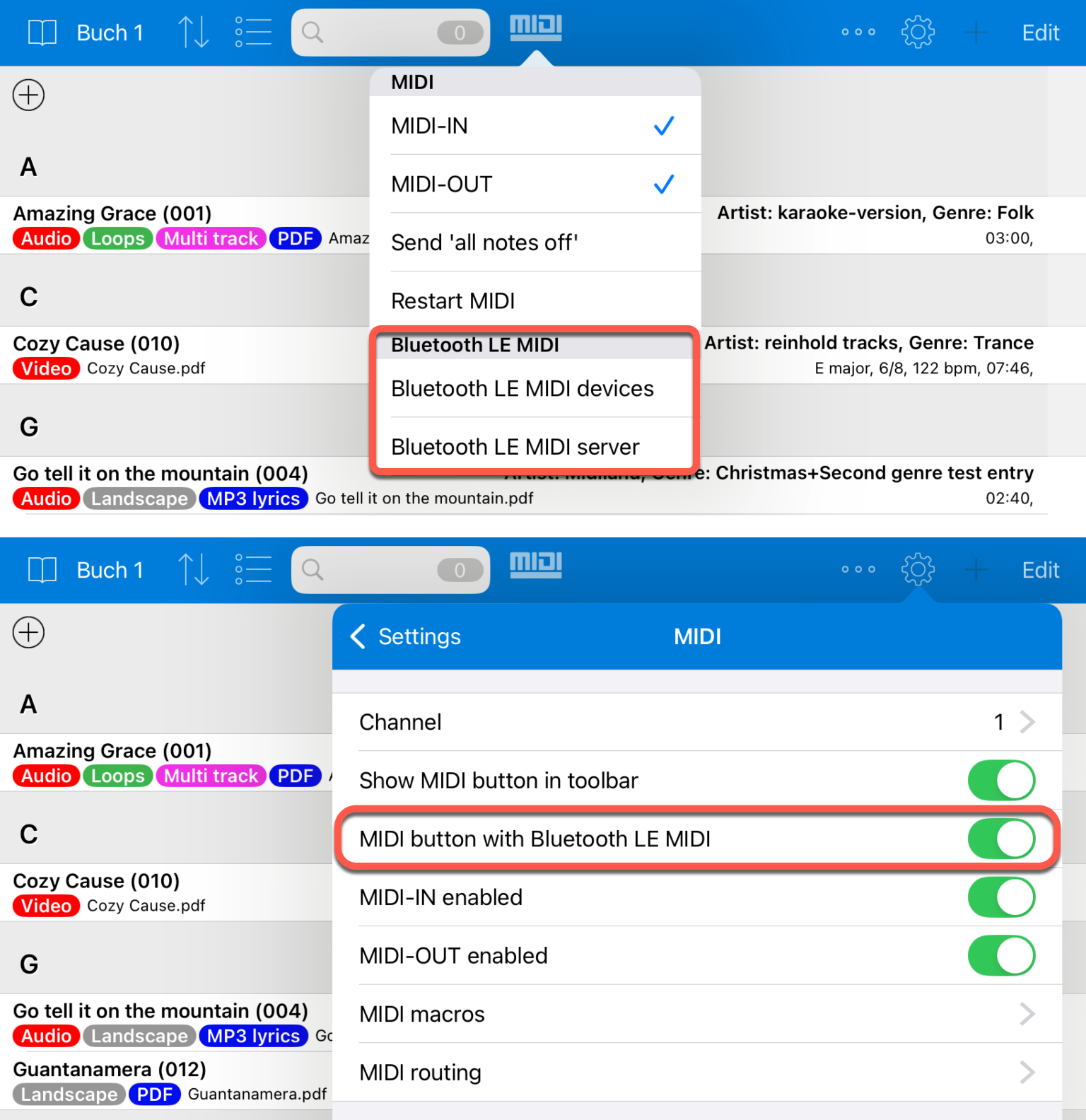
Bluetooth LE MIDI Menu Directly in the MIDI Button
The menus for connecting to Bluetooth LE MIDI devices and for accepting connections via Bluetooth LE MIDI are now also available directly in the MIDI button in the toolbar.
If you do not need these entries there, you can hide them in the settings.
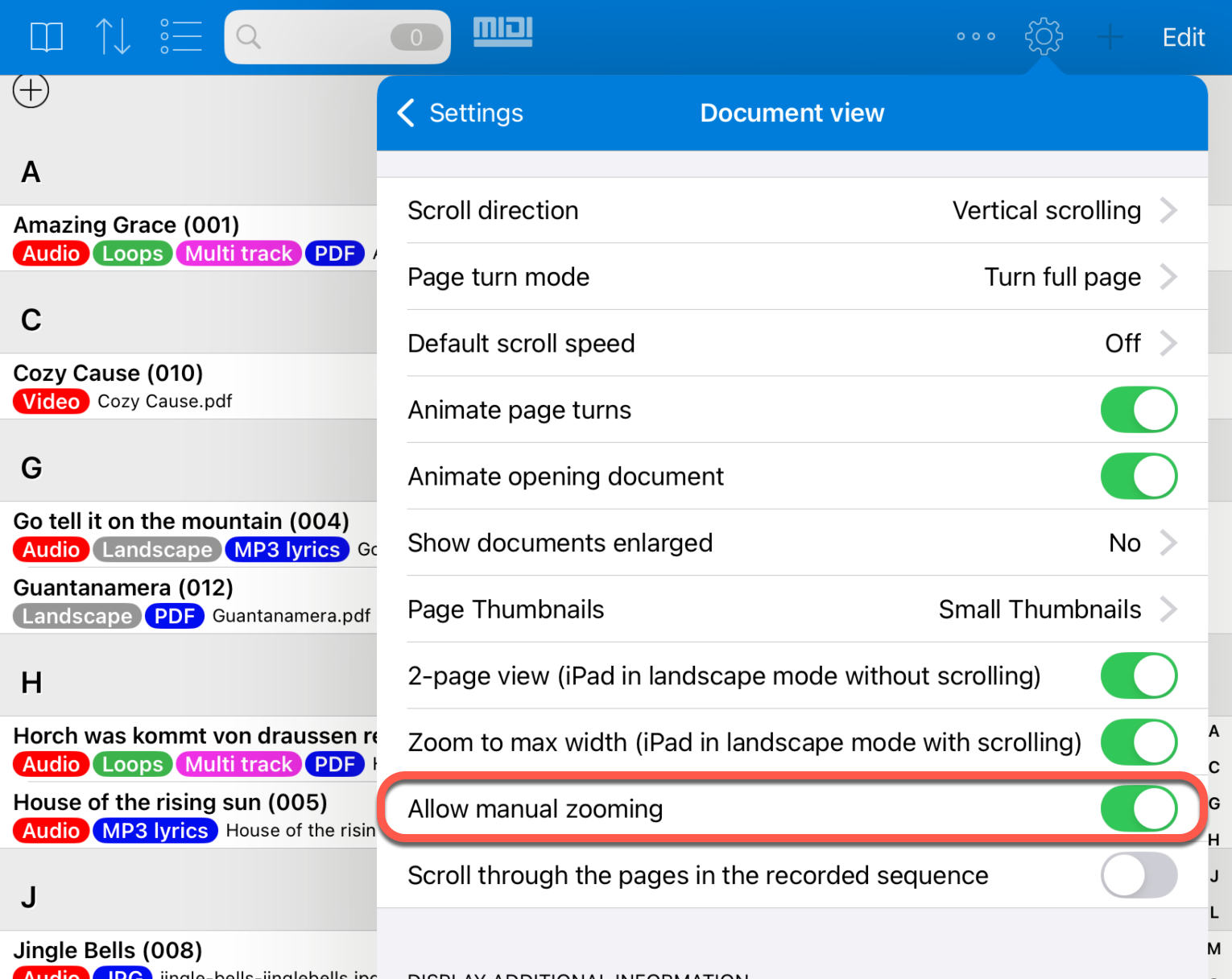
Manual Zooming Can Be Disabled in Settings
Some users accidentally zoom into a page during a performance, even though they only wanted to turn the page.
Afterwards, they first have to zoom out again before page turning continues as desired.
To prevent this, manual zooming can now be disabled in the settings.
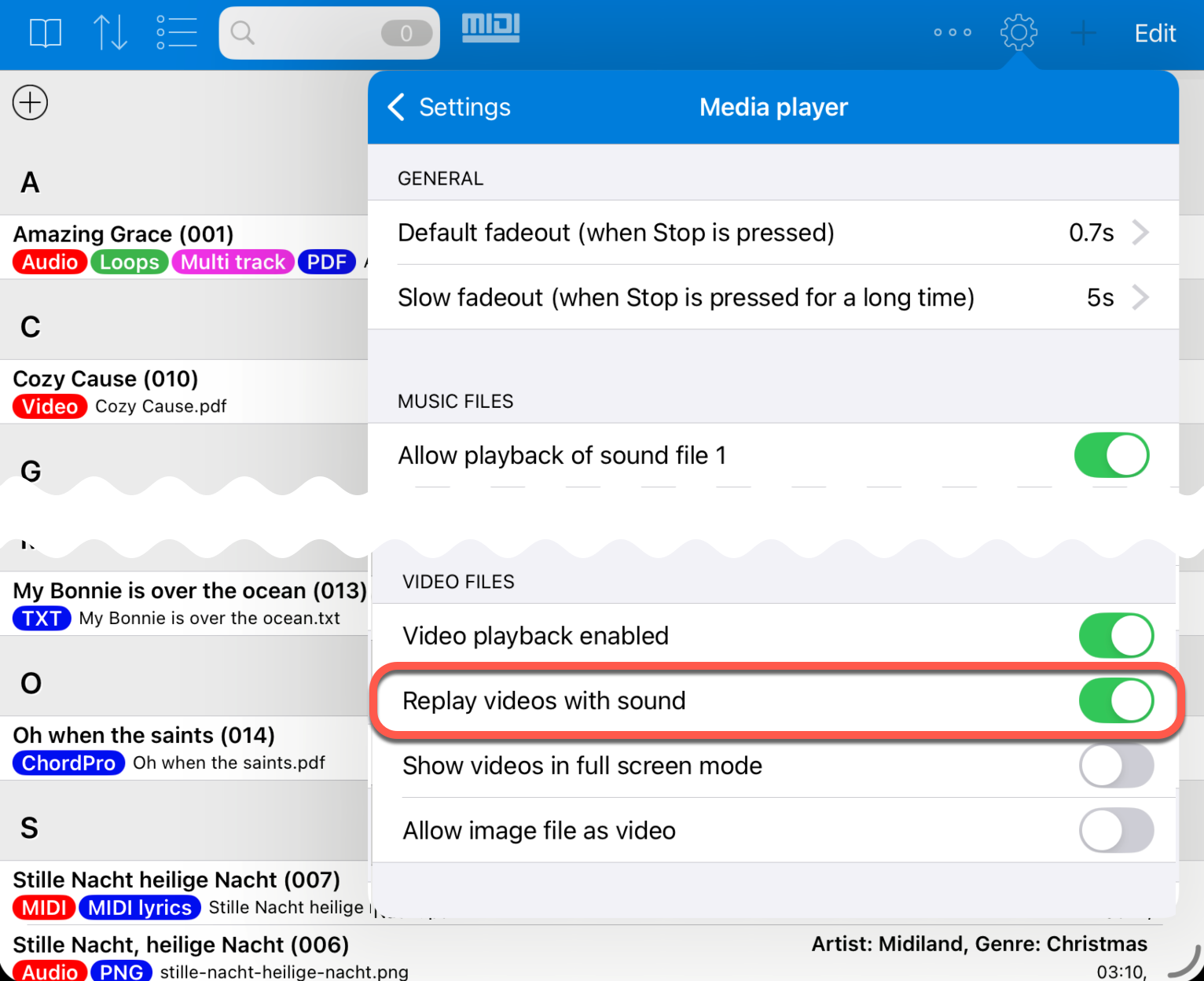
Video Player Audio Track Can Be Disabled in Settings
At customers' request, there is now a setting that can mute the audio track of the video player.
For example, you can show a video without sound via a projector while audio files are played as backing tracks at the same time.
MIDI CC Selection List with Additional Labels
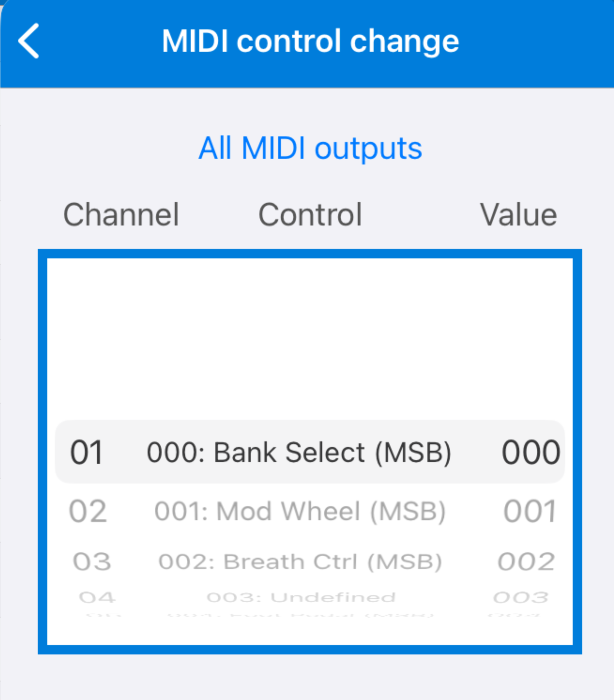
In function buttons, "Actions when songs are opened", "Actions when songs are started" and similar areas, MIDI Control Change events can be inserted.
Previously, the selection list only contained the numbers 000-128. You therefore had to know which number had which meaning.
The known controllers are now additionally labeled, for example "000: BankSelect (MSB)" or "001: Mod Wheel (MSB)".
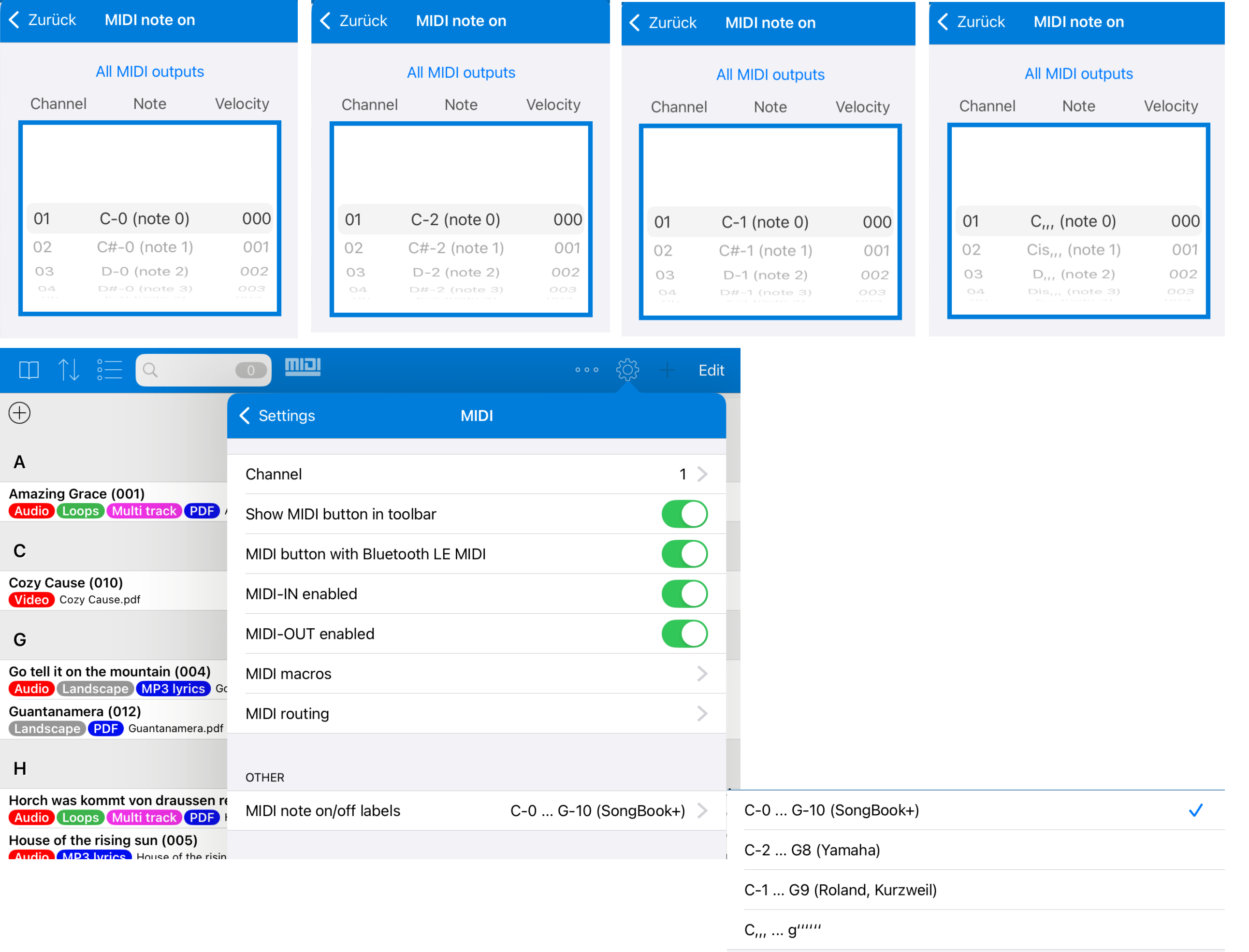
MIDI Note On/Off Selection List with Different Notations
In function buttons, "Actions when songs are opened", "Actions when songs are started" and similar areas, MIDI NoteOn and NoteOff events can be inserted.
Depending on the MIDI device or manufacturer, different notations are common for MIDI notes.
SongBook+ can now display the notes in different notations: with the previous SongBook notation starting at octave 0, in the notation known from Yamaha starting at octave -2, in the notation known from Roland or Kurzweil starting at octave -1, or with low and high tick-marked note names.
The desired notation can be selected in the settings.
Mark Songs as Played When the Option "Only Show List, Don't Open Songs" Is Enabled
SongBook+ can mark songs as played when they have been open for a certain time or when the play button has been pressed.
There is also the mode "Only show list, don't open songs". In this mode, SongBook+ does not open a song when a row is tapped, but only sends the MIDI commands configured for that song, for example to prepare a keyboard for this song.
SongBook+ can now also mark songs as played in this mode. The song is then marked accordingly as soon as it is tapped.
Marking and Unmarking Played Songs via the Context Menu
If songs are already marked as played when tapped, it can also happen that the wrong song is marked by mistake.
That is why the context menu of a song now includes a menu item that lets you switch the selected song between played and not played.
Adjusting the Position of Overlays When the Toolbar Is Set to "Always Visible"
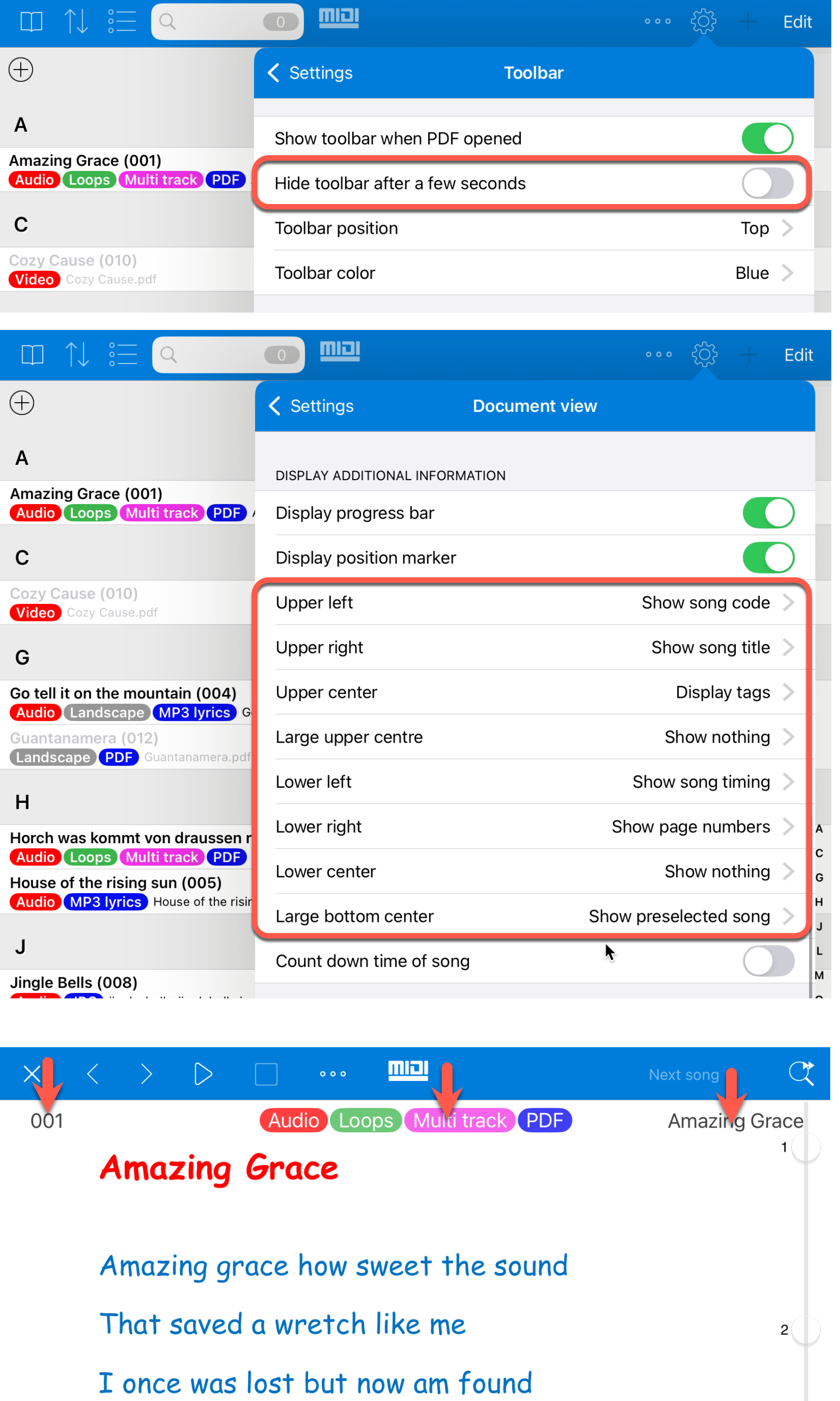
SongBook+ can be configured so that the toolbar is permanently visible and is not hidden automatically.
If additional information was shown at the top or bottom edge at the same time, it could previously be hidden behind the toolbar.
With a permanently enabled toolbar, the position of these overlays is now automatically adjusted slightly downward or upward.